
🔄 Last updated: April 17, 2026
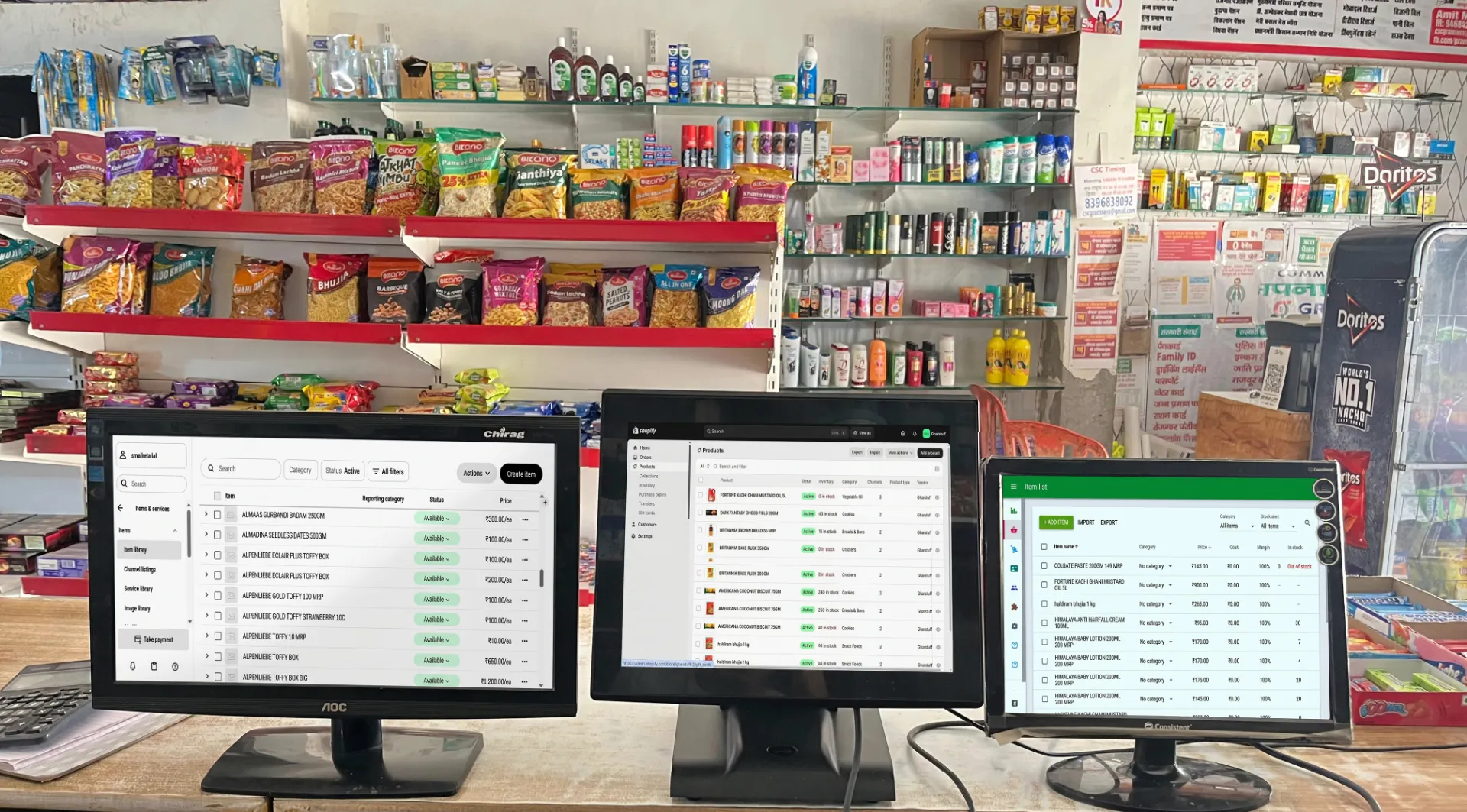
This is a comparison of the best POS systems for small retail written by someone who’s actually been burned by a bad one — and spent the last year figuring out what actually works for a store that runs on thin margins and needs the counter to just work.
Best POS Systems for Small Retail (2026) — What Nobody Tells You Before You Commit
I want to start with the thing that almost no POS review mentions — the thing I only found out after reading hundreds of small business owner complaints.
Square — the most recommended free POS in the world — has over 3,200 Better Business Bureau complaints on file, the majority about one specific thing: fund holds. Merchants waking up to find their sales revenue frozen for 90 to 180 days with no warning, no explanation, and no real human to call. Some of those merchants are grocery store owners. Some had to take loans to cover cash flow while waiting for their own money.
I’m not saying Square is a bad product. It isn’t. I’m saying no review told me about this until I went looking specifically at complaints — and if you’re choosing a POS for a store where cashflow is tight, you need to know this before you sign up.
This guide covers the three POS systems I’ve actually used or tested in the context of small retail in 2026: Square, Loyverse, and Shopify POS. It also covers the India-specific stack. The goal isn’t to pick a “best” — it’s to tell you which one is right for your specific situation, and what the real risks are with each.
📚 What’s in this guide
Which POS system is best for small retail in 2026?
Loyverse is the best free POS for pure in-store small retail — it’s free forever, works offline, includes a loyalty programme, and has no fund hold risk because it doesn’t process payments itself. Square is the best starting point for new US/UK/CA/AU stores that need to accept cards immediately. Shopify POS is the right answer only if you’re selling online and in-store together. For Indian grocery stores, use Vyapar (billing) + Zoho Inventory (stock) + UPI — total cost ₹0.
What a Small Retail POS Actually Needs to Do
Most POS comparisons compare feature lists. That’s not how real store owners make this decision. The questions that actually matter are simpler:
✅ Non-negotiable
- Fast checkout at a busy counter
- Works when internet drops
- Doesn’t surprise you with frozen funds
- Stock levels update with every sale
- Staff can use it without training
- Clear, honest pricing
⚡ Nice to have
- Customer loyalty programme
- Online store integration
- Advanced reporting
- Multi-location sync
- Purchase order management
- Barcode label printing
The non-negotiables are where most comparisons fall short. “Does it work offline?” gets one checkbox. “What happens if your funds get frozen?” gets no mention at all. That changes in this guide.
Square POS — The Best Free Option, With One Serious Risk
Square is the most recommended free POS in the world for good reason. The software is genuinely excellent — clean interface, fast setup, works on any iPad or Android tablet, and the free plan includes more than you’d expect: unlimited items, basic inventory tracking, real-time reporting, email receipts, and a free card reader for new users.
The pricing changed significantly in late 2025. Here’s what it actually costs now:
| Plan | Monthly fee | In-person rate | Online rate | Key extras |
|---|---|---|---|---|
| Free | $0 | 2.6% + 15¢ | 3.3% + 30¢ | Basic POS, inventory, free card reader |
| Plus | $49/mo | 2.5% + 15¢ | 2.9% + 30¢ | Advanced reports, team mgmt, vendor/purchase orders |
| Premium | $149/mo | 2.4% + 15¢ | 2.9% + 30¢ | 24/7 phone support, multi-location, advanced features |
⚠️ The fee increase you may not have heard about: In late 2025, Square raised in-person fees from 2.6% + 10¢ to 2.6% + 15¢ on the Free plan. That extra 5¢ per transaction adds up to roughly $300/year more for a store doing 500 transactions/month. Many merchants found out after the fact. Always check squareup.com for current rates before signing up.
What Square does genuinely well
Setup speed. Zero to accepting card payments in under 30 minutes. No paperwork, no lengthy underwriting, no sales rep. For a new store or market stall, this is genuinely useful.
The interface. Square’s POS app is the best-designed in this comparison. Fast, intuitive, works equally well on a mounted iPad or a handheld phone. Vishal — who still prefers paper for most things — figured it out in one morning without any help from me.
Offline payments. Square accepts card payments when internet drops and syncs on reconnect. One important caveat: pending offline payments must be uploaded within 72 hours or the data is lost. Plan around this.
No chargeback fee. Unlike most processors ($15–25 per disputed transaction), Square charges $0 for chargebacks. For retail businesses with occasional returns, this is a genuine advantage.
The fund hold problem — read this carefully
Square does not underwrite merchants individually. When you sign up, you join Square’s master merchant account alongside millions of other sellers. Square’s automated risk algorithms monitor every transaction. If your pattern looks unusual — a spike in volume, an unusually large sale, a category shift — the algorithm can freeze your funds without any prior warning and without a human reviewing your case.
Holds typically last 90 to 180 days. There is no real appeal process. Phone support for free-plan users is limited to business hours only — and multiple reviews describe the support experience during a hold as being transferred repeatedly with no resolution. Over 3,200 BBB complaints relate specifically to fund holds and account deactivations. For a small grocery store where a single week’s cash flow matters, this risk is real and worth planning for before it happens.
💡 How to reduce Square fund hold risk: Keep your average transaction amounts consistent. Notify Square in writing before any unusually large transaction or volume spike. Avoid categories Square considers high-risk. Always maintain a cash float or secondary payment method so a hold doesn’t shut you down completely.
Square hardware costs (US market)
Free magstripe reader for new users. Contactless chip reader: $59. Square Terminal (standalone device): $299. Square Register (full countertop dual-screen): $799. These are one-time costs — factor them into your total first-year cost before comparing Square to “paid” competitors.
→ View Square’s current pricing at squareup.com — always verify before signing up.
Loyverse POS — The Best Free Option for Pure In-Store Retail
Loyverse is the POS I’d recommend first to most small independent retailers who are primarily in-store. The reason is simple: it’s genuinely free for the core operation, it doesn’t lock you into a single payment processor, and it doesn’t have Square’s fund hold problem because it doesn’t process payments itself — you choose your own processor.
Used by stores in over 100 countries, Loyverse has a strong following precisely among the kind of owner this site is for: single-location independent retailers who need something that works without drama.
| Feature | Free (forever) | Advanced Inventory add-on | Employee Mgmt add-on |
|---|---|---|---|
| Core POS — sales, items, receipts | ✅ Included | — | — |
| Customer loyalty programme | ✅ Included | — | — |
| Basic inventory tracking | ✅ Included | — | — |
| Sales analytics dashboard | ✅ Included | — | — |
| Offline mode | ✅ Included | — | — |
| Purchase orders, stock adjustments | ❌ | ✅ $25/mo per store | — |
| Employee permissions, timecards | ❌ | — | ✅ $25/mo per store |
| Expanded sales history | ❌ | — | ✅ $5/mo per store |
What Loyverse does genuinely well
You choose your payment processor. Loyverse integrates with Worldpay, SumUp, PayPal Zettle, Tyro, and others. This means no fund hold risk from Loyverse itself — your money goes directly through whichever processor you choose. This is the biggest practical advantage over Square for stores where cash flow disruption would hurt.
The free loyalty programme. Built-in customer loyalty at zero cost. Square charges $60+/month for this. For a grocery store building repeat business, a loyalty system on the free plan is genuinely useful and takes 15 minutes to set up.
Works on any tablet — iOS or Android. Loyverse runs on both platforms equally. Your existing Android tablet works. You’re not forced into Apple hardware.
Multi-location under one account. Manage multiple stores from a single Loyverse account on the free plan. Add-ons are priced per store, so costs scale predictably.
Loyverse real limitations
No built-in online store. Loyverse is purely in-store. For a pure brick-and-mortar store this doesn’t matter. For a store moving toward online orders, you’ll need a separate integration.
Advanced inventory behind a paywall. Purchase orders and detailed stock management require the $25/mo add-on. Free inventory tracking is basic — quantities only, no purchase order workflow, no supplier management. Pair with Zoho Inventory on the free plan instead.
iOS users get feature updates first. Some Android users report new features arriving on iOS before Android. Worth knowing if you’re Android-only.
→ See Loyverse free plan at loyverse.com — no credit card required.
Shopify POS — Only Makes Sense If You Need Online and In-Store Together
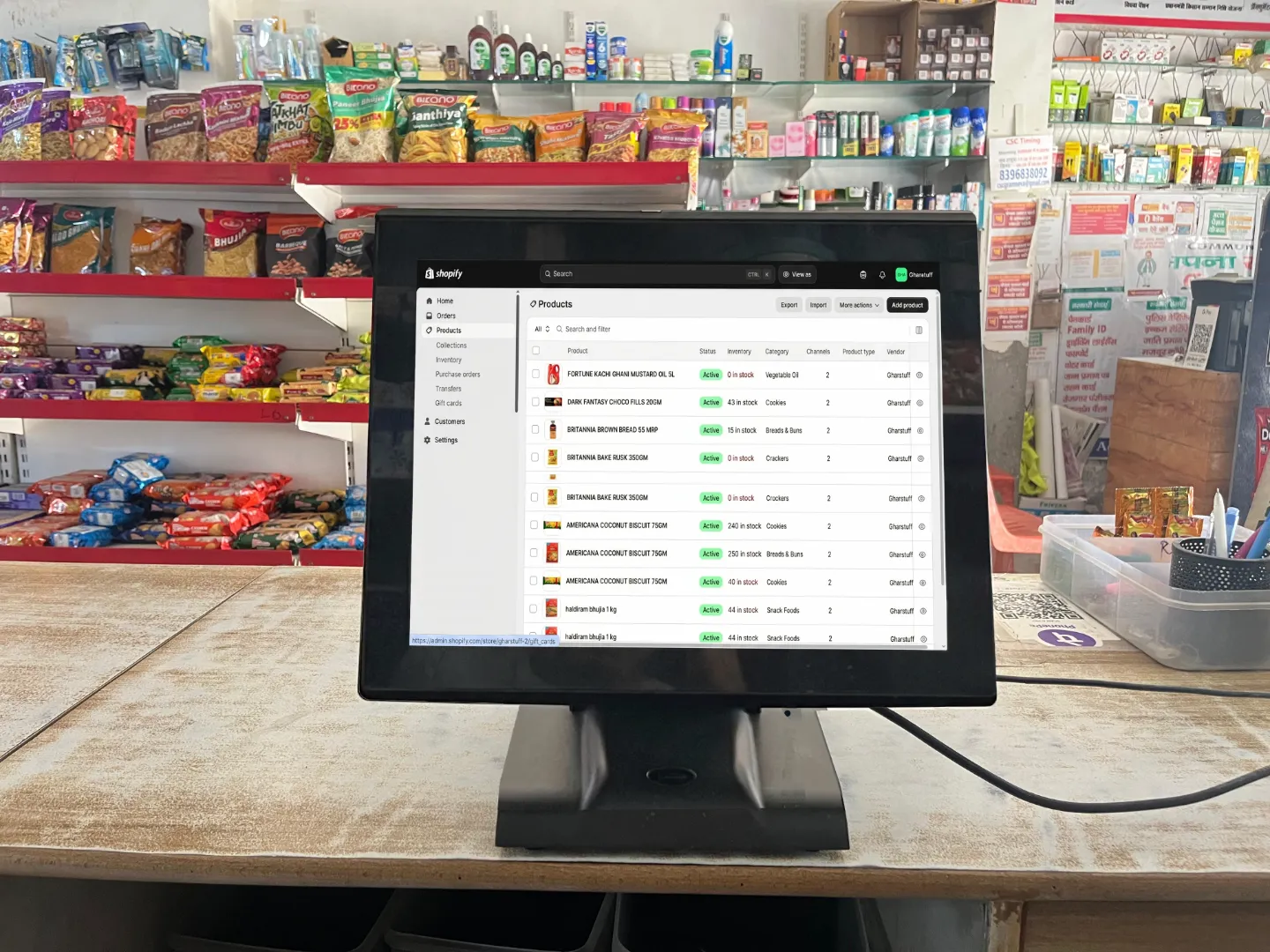
Shopify POS is genuinely excellent — but it’s designed for a specific type of business: one that sells online AND in-store and wants unified inventory, orders, and customer data across both channels. If that’s you, Shopify is hard to beat. If you’re purely in-store, you’re paying for omnichannel infrastructure you’ll never use.
Shopify POS pricing — the full picture
Shopify POS isn’t a standalone product — it requires a Shopify subscription:
| Shopify plan | Monthly (billed monthly) | Monthly (billed yearly) | In-person rate | POS tier included |
|---|---|---|---|---|
| Basic | $39/mo | ~$29/mo | 2.6% + 10¢ | POS Lite (basic) |
| Grow | $105/mo | ~$79/mo | 2.5% + 10¢ | POS Lite |
| Advanced | $399/mo | ~$299/mo | 2.4% + 10¢ | POS Lite |
| POS Pro upgrade: +$89/mo per location — adds staff permissions, advanced inventory, detailed in-store reporting, buy-online-pick-up-in-store (BOPIS) | ||||
⚠️ The third-party processor trap: If you use any payment processor other than Shopify Payments, Shopify charges an extra 0.5%–2.0% per transaction on top of your processor’s fee. Always use Shopify Payments — available in 39 countries as of 2026, but not India.
When Shopify POS is the right answer
You already have a Shopify online store. Your inventory, customer data, and orders are already in Shopify — the POS just makes in-store sales part of the same system. Natural extension, not an extra cost.
You need buy-online-pick-up-in-store (BOPIS). No other platform in this comparison handles online-to-in-store fulfilment at this level. Shopify POS Pro is purpose-built for this workflow.
Unified inventory across channels. Stock levels update in real-time whether a sale happens online, in-store, or via phone. Eliminates the overselling problem that plagues stores using separate systems.
When Shopify POS is the wrong answer
You’re a pure in-store retail shop with no plans for ecommerce. Paying $39+/month for a Shopify subscription just to access POS functionality is hard to justify when Square’s free plan or Loyverse’s free plan covers your actual needs at zero monthly cost. For India-based stores specifically, Shopify Payments isn’t available — meaning you’d pay the third-party processor surcharge on every single transaction. The Vyapar review covers the better India-specific billing option.
Square vs Loyverse vs Shopify POS — Full 2026 Comparison
| What matters | Square (Free) | Loyverse (Free) | Shopify POS |
|---|---|---|---|
| Monthly software cost | $0 | $0 (core) | $39/mo minimum |
| In-person transaction fee | 2.6% + 15¢ | Depends on processor | 2.6% + 10¢ (Basic) |
| Fund hold risk | ⚠️ Real — documented | ✅ None (no in-house processor) | Low — Shopify Payments is stable |
| Works offline | ✅ Yes (72hr sync window)* | ✅ Yes, unlimited duration | ⚠️ Partial — limited offline mode |
| iOS + Android support | ✅ Both | ✅ Both | ✅ Both (iPad optimised) |
| Free loyalty programme | ❌ $60+/mo add-on | ✅ Free forever | ❌ Paid add-on |
| Online store integration | ⚠️ Via Square Online (separate) | ⚠️ Via third-party only | ✅ Native — best in class |
| Advanced inventory free | ⚠️ Basic only | ❌ $25/mo add-on | ❌ POS Pro $89/mo |
| No chargeback fee | ✅ $0 | Depends on processor | ⚠️ $15 per dispute |
| Payment processor choice | ❌ Square only | ✅ Your choice | ⚠️ Shopify Payments recommended |
| Available in India | ⚠️ Limited UPI support | ⚠️ Limited India processors | ❌ No Shopify Payments in India |
| Best for | Startups, mobile sellers, low volume | Independent in-store retail | Omnichannel (online + in-store) |
* Square offline: pending payments must sync within 72 hours or data is lost. Loyverse offline: unlimited duration, syncs automatically on reconnect.
Which POS for Your Store — The Honest Decision Framework
Stop trying to find the “best” POS. Find the right one for your situation:
🏪 Pure in-store, India or emerging markets
→ Loyverse or Vyapar
You need a billing counter, basic stock tracking, and something staff can use without training. Loyverse handles the POS layer; if you need GST compliance in India, add Vyapar for billing. Both are free. No fund hold risk. No monthly fee.
🏪 New store in US/UK/CA/AU, just starting out
→ Square Free
Zero cost to start, professional interface, free card reader, no contracts. Accept that there’s a fund hold risk and manage it proactively — keep transaction patterns consistent, notify Square before large transactions, keep a cash backup. The risk is real but manageable if you know about it going in.
🏪 US/UK in-store, cashflow matters, fund hold risk is unacceptable
→ Loyverse + separate processor
Loyverse free plan for the POS, SumUp or PayPal Zettle for payment processing. You own your processor relationship. No fund hold risk from an algorithm. Free loyalty programme included. The trade-off: two logins instead of one — handle accounting separately with Zoho or Xero.
🛍️ Online store + in-store together
→ Shopify POS
If you’re already on Shopify or launching an online store alongside your physical store, Shopify POS is the right answer. Unified inventory, BOPIS capability, single back-office for both channels. Use Shopify Payments — the third-party processor surcharge makes every other option significantly more expensive.
📦 Grocery store with 300+ SKUs, perishables, expiry tracking
→ POS + Zoho Inventory (free)
No POS on this list solves the inventory management problem for a serious grocery store on its own. The billing counter (Loyverse or Square) handles customer-facing transactions. Zoho Inventory handles the back-end: reorder points, expiry batch tracking, and the Python alert system. This two-system setup is what I run at gharstuff.com — it costs $0/month on the free plans of both tools.
💰 New user bonus — Zoho Inventory free plan
If you’re pairing your POS with Zoho Inventory for back-end stock management, sign up through this link and get $100 in Zoho Wallet credits — the free plan stays free, credits apply if you ever upgrade.
Try Zoho Inventory Free → Get $100 CreditsFor India-Based Small Retail Stores
The POS landscape in India is different from US/UK/AU for three reasons: Shopify Payments isn’t available (meaning the third-party processor surcharge applies to every transaction), UPI is the dominant payment method and not card, and GST billing compliance is non-negotiable for registered shops.
For most small Indian retail stores, the practical setup is:
Vyapar (free mobile)
GST-compliant billing, WhatsApp invoice sharing, basic stock tracking, accounting. India-first, works offline. Free Android forever.
Zoho Inventory (free tier)
Real inventory management, expiry batch tracking, reorder points, Python alert integration. Free for up to 50 orders/month.
UPI QR code (any bank)
Zero transaction fees for UPI. Print your QR code and display it at the counter. Most Indian customers scan and pay directly — no POS integration needed.
Total monthly cost
₹0 / $0
This setup is three separate tools instead of one. But it handles billing, inventory, payments, and GST compliance for a grocery store with 800+ SKUs at zero monthly cost. I tested multiple “all-in-one” India POS solutions — none handled the inventory depth that Zoho provides on the free plan. The Vyapar review and the Zoho setup guide cover each piece in detail.
What a POS System Actually Costs — Real Numbers for a Small Retail Store
Here’s what each option actually costs for a store doing $6,000/month in sales with around 600 transactions:
| Cost item | Square Free | Loyverse + SumUp | Shopify Basic + POS Lite |
|---|---|---|---|
| Monthly software | $0 | $0 | $39 |
| Transaction fees (600 × avg $10) | ~$166 (2.6% + 15¢) | ~$138 (SumUp: 2.3%) | ~$157 (2.6% + 10¢) |
| Hardware (amortised over 2 years) | ~$25/mo (Square Terminal) | ~$8/mo (SumUp reader) | ~$20/mo (card reader) |
| Loyalty programme | $60+/mo extra | $0 (included) | Paid add-on |
| Estimated monthly total | ~$191 (without loyalty) | ~$146 | ~$216 (without loyalty) |
These are estimates — your actual transaction mix, hardware choices, and plan upgrades will change the numbers. The point: “free” POS software doesn’t mean free POS system. Transaction fees are where the real cost lives, and they scale directly with your revenue. For high-volume stores, the per-transaction rate matters more than the monthly subscription fee. For context on how inventory costs fit alongside POS costs, the 7 best AI inventory tools guide shows the full picture.
FAQs — Best POS Systems for Small Retail
Q1: Is Square really free or are there hidden costs?
Q2: Can Square freeze my money without warning?
Q3: What’s the best free POS system for a small independent grocery store?
Q4: Do I need a POS system or just a payment app?
Q5: Should I use Shopify POS if I don’t have an online store?
Q6: What POS works best for a small grocery store in India?
Q7: How important is offline mode in a POS system?
Q8: Can I use Loyverse with my existing card reader?
📥 Free Toolkit — AI Inventory Kit + Full Resource Pack
Everything from this article — the ChatGPT prompt library, AI Waste Tracker, Zoho Expiry Alert script, WhatsApp Broadcast Templates, GBP Toolkit, and AI Inventory Toolkit. All free, no credit card.
Free. No spam. Unsubscribe anytime.
The Short Version — Before You Decide
If you only remember three things from this guide:
- The fund hold problem with Square is real. Go in with eyes open, manage the risk proactively, and keep a cash backup. It’s manageable, but it’s not mentioned in most reviews.
- Loyverse is the safest free option for pure in-store retail — especially if cashflow disruption would hurt you. No in-house processor means no algorithmic account freezes.
- No POS system replaces proper inventory management for a grocery store. The billing counter and the stock management system are different tools solving different problems. Pair your POS with Zoho Inventory for the back-end — the combination costs $0/month on free plans and covers everything a real grocery store needs.
For the inventory side of this — setting up reorder points, expiry alerts, and the Python script that runs every morning before I open the store — the Zoho Inventory setup guide is the place to start. And for comparing Zoho and Sortly as the inventory management layer, the Zoho vs Sortly comparison covers that decision in detail.
If you decide to pair your POS with Zoho Inventory for back-end stock management: Zoho Inventory free plan — new users get $100 in Zoho Wallet credits. The free plan itself never expires.

About the Author
Rahul Saini
Grocery store owner in Hisar, India, running gharstuff.com since 2019 with 800–1,200 SKUs daily. I test AI tools in my real store — with real staff, real customers, and real consequences when something doesn’t work. Every number on this site is from my actual store.
Read My Full Story →Related Articles
Last updated: April 2026. Pricing verified April 2026 from official sources. Author: Rahul Saini, SmallRetailAI.com.
Which POS are you currently using — or thinking of switching to? Tell me in the comments. I read every one.
Great post! Thanks for sharing this valuable information. Keep up the excellent work.
Great post! Thanks for sharing this valuable information. Keep up the excellent work