
🔄 Last updated: July 25, 2026
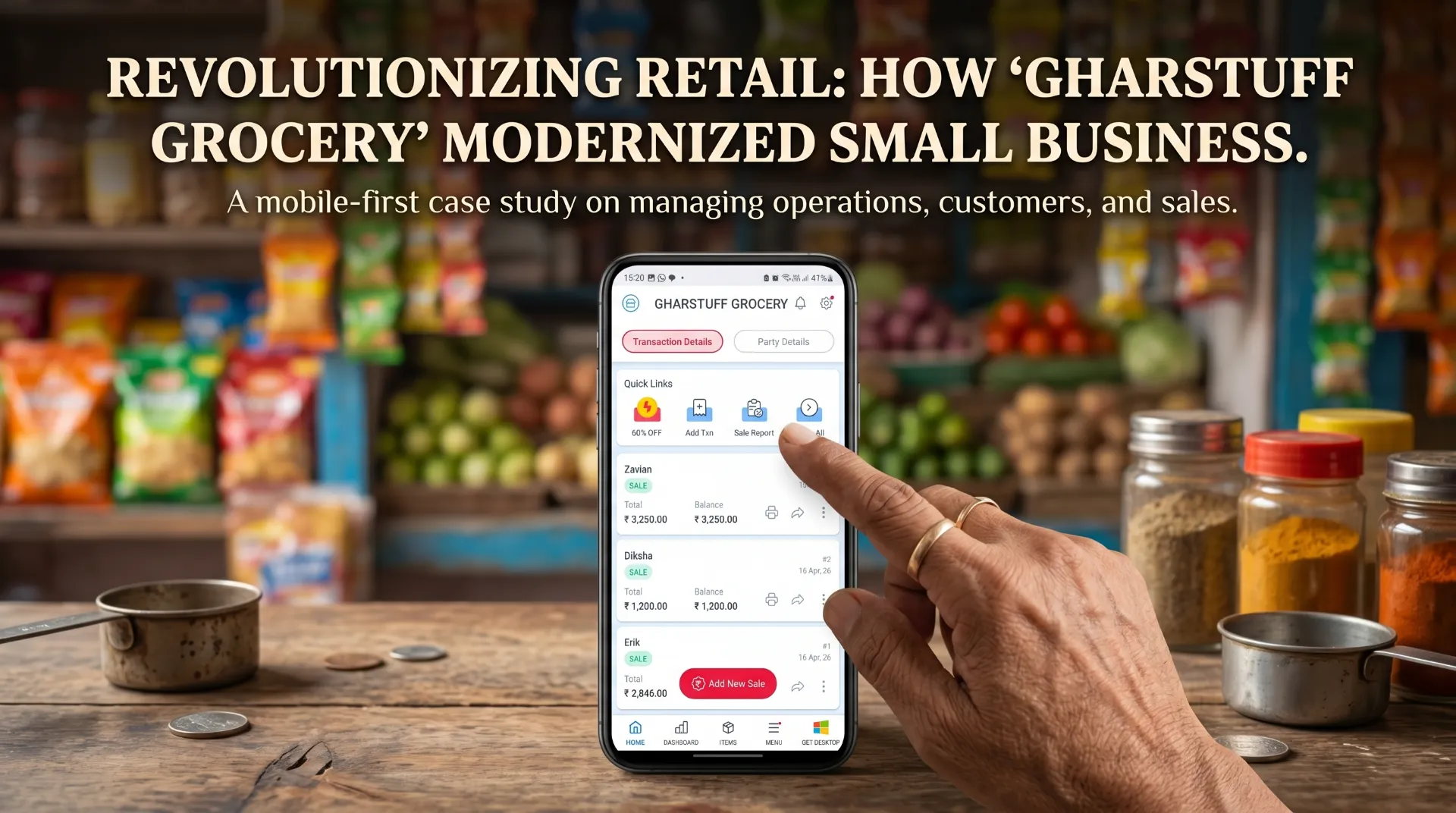
This Vyapar app review for small retail is based on 60 days of real testing in my grocery store with 800–1,200 SKUs — not a tech blog that installed it for 20 minutes and called it a review.
Vyapar App Review (2026) — What It Does Well and Where It Falls Short
One of my suppliers — an older gentleman who’s been delivering dal and atta to us for six years — handed me a printed GST invoice from his side and said: “Bhai, ab mujhe bhi aise invoice chahiye.” He’d heard Vyapar was easy and wanted to know if I was using it. I wasn’t. I installed it that evening.
The billing setup took about 40 minutes. I added 30 SKUs, entered my GST details, and sent a test invoice to Vishal’s number via WhatsApp. He replied: “Bhaiya, ye toh Zoho se zyada acha dikhta hai.” He was right — the invoice looked cleaner, more professional, and arrived in seconds.
I tested Vyapar seriously for the next 8 weeks alongside Zoho Inventory. What I found was that these two apps are solving different problems for different types of stores — and most reviews don’t make that distinction clearly enough. This one will.
📋 Is Vyapar Good for Small Retail? (Quick Answer)
Vyapar is a good billing app for small retail businesses, especially in India. It works best for GST invoicing, offline billing, and basic accounting. However, it is not the right choice for inventory-heavy stores like grocery shops — it lacks batch-level expiry tracking, reorder automation, and any API access.
Bottom line: Use Vyapar if billing is your main problem. Use Zoho Inventory if stock management and waste are your main problem. Most grocery stores need the second one more. Here you can find detailed comparison of AI inventory tools for small retail
🔍 Does Vyapar Have AI Inventory Prediction? (Quick Answer)
No — and Vyapar itself never claims it does. That “AI” framing comes from comparison blogs and search results, not from Vyapar’s own product pages. What Vyapar actually calls this is “Demand Forecasting,” and inside the app it’s an Item-Wise Profit and Loss report — historical sales by date range, not a predicted future quantity.
Bottom line: If you want genuine AI-driven reorder predictions, Vyapar doesn’t have them. Zoho Inventory’s free plan gets you closer. Full breakdown below ↓
⚖️ Quick verdict — before you read further
✅ Vyapar wins for
GST billing on Android
Offline operation (real, tested)
Simple daily accounting
India-first design
Low cost — free mobile plan
⚠️ Zoho wins for
Serious inventory tracking
Expiry date management
Reorder point automation
Multi-channel sales
API + Python alerts (free workaround)
One-line verdict: Vyapar is the better billing app. Zoho Inventory is the better inventory app. If you run a grocery store with perishables and 300+ SKUs, you need inventory management — not just billing. That changes the answer.
My rating: 4/5 for billing · 2.5/5 for grocery inventory
More worried about inventory than billing? Zoho Inventory’s free plan handles 1,000 SKUs, reorder points, and batch expiry tracking — all free forever. That’s what I actually use daily at gharstuff.com.
Without Stock Mistake
What Vyapar Actually Is (and What It Isn’t)
Vyapar is a GST billing and accounting app built specifically for Indian small businesses. It’s used by over 1 crore businesses across India — kirana stores, hardware shops, pharmacies, garment retailers, and service providers. The core product is a billing counter on your phone or Windows PC that generates GST-compliant invoices, tracks sales and expenses, and maintains basic stock records.
What it isn’t: it’s not primarily an inventory management system. It tracks stock quantities — how many units came in, how many went out — but it doesn’t have the reorder point automation, batch-level expiry tracking, or supplier management depth that a grocery store with 800+ perishable SKUs needs day-to-day.
Vyapar at a glance — what the free plan actually includes
forever free
using Vyapar
included
available
What I Actually Tested Over 60 Days
Generic reviews say “I tested this app.” Here’s exactly what I ran through in my real store over 8 weeks:
GST Invoice Creation
HSN codes, CGST/SGST slabs, WhatsApp sharing — timed each transaction against my old process
Basic Inventory Tracking
Stock updates with sales, low stock alerts, expiry date entry across 300+ SKUs
Offline Billing
Sales without internet, data sync on reconnect — tested during two real outages in Hisar
Reports & GST Filing
Monthly GST return prep, P&L, sales summaries — compared directly to Zoho output
Vyapar Pricing — What the Free Plan Gives You and When You Need to Pay
This is where most reviews get vague. Here’s what I found from actual use and verified pricing as of April 2026:
| Plan | Price | Key inclusions | Key limitations |
|---|---|---|---|
| Mobile Free | ₹0 forever | GST billing, basic inventory, 35+ reports, WhatsApp invoice sharing, offline mode | Single device only, Vyapar branding on invoices, no data sync |
| Mobile Silver | ~₹1,499/yr | Multi-device sync, remove branding, 3 companies, credit limit for parties | 10 E-way bills/month, limited transaction restore |
| Mobile Gold | ~₹1,999/yr | Everything in Silver + TDS/TCS on invoices, profit per invoice, unlimited restore | Still mobile-only for this price tier |
| Desktop Silver | ~₹3,399/yr | Desktop + mobile sync, 3 companies, 10 E-way bills/month, full accounting module | Limited e-way bills, 2 transaction restores |
| Desktop Gold | ~₹3,999/yr | Unlimited e-way bills, unlimited companies, full profit analysis, TDS/TCS | No API. No third-party integrations |
💡 What this means for a small grocery store: Free mobile plan works for billing + basic stock on one Android phone. Desktop access costs ₹3,399/yr minimum (~₹283/month). Compare that to Zoho Inventory free plan — 50 orders/month, 1,000 SKUs, forever free — before deciding which direction to go. If you want to see how other budget-friendly options stack up beyond just Zoho, our guide to free inventory management software for small business covers the full list.
What Actually Works Well — Tested at gharstuff.com
I want to be specific here. Generic reviews say “easy to use” — that’s not useful. Here’s what worked well in practice over 8 weeks of real use:
1. GST billing is genuinely fast
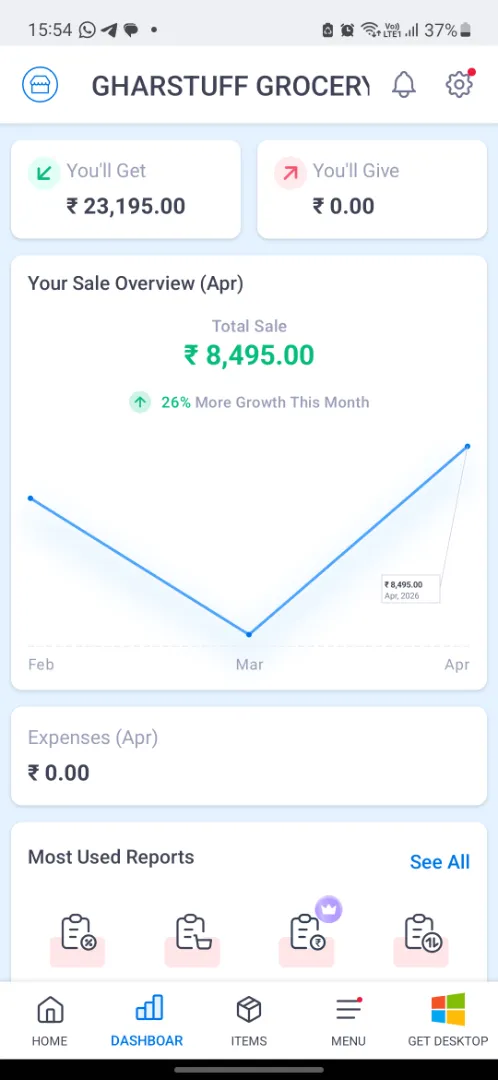
Once your SKUs are added, creating a GST invoice takes under 60 seconds on mobile. It auto-calculates CGST and SGST, auto-fills item details, and generates a shareable PDF instantly. The WhatsApp share button sends the invoice directly from the app — customers get it before they’ve left the counter. I timed it: Vishal now finishes a customer invoice in under 20 seconds versus 45 seconds before.
2. Offline mode is real and it works
This matters more than most reviews acknowledge. Hisar has the occasional internet outage. Vyapar keeps working completely offline — billing, stock updates, expense recording — and syncs when the connection returns. Zoho, being cloud-first, needs internet to function properly. For stores in semi-urban or rural areas, Vyapar’s offline capability is a genuine advantage that I confirmed across two real outages.
3. Monthly GST return prep — 3 hours to 25 minutes
Monthly GST return preparation that used to take 3 hours now takes 25 minutes. The reports are formatted correctly for filing, GSTIN entries match, and the reconciliation is automatic. This alone justifies the app for any GST-registered shop that currently prepares returns manually or pays a CA to do it every month.
4. Purchase bill photo upload (added late 2025)
You can now photograph a supplier’s paper bill and Vyapar reads it and adds the items to stock automatically. I tested this with 3 supplier bills — it worked cleanly for two, and misread one item name. Not perfect, but for a grocery store that gets 5–8 paper purchase bills per week, this saves real manual entry time and reduces the chance of keying in the wrong quantity.
5. Payment reminders via WhatsApp
For business customers on credit, one button sends a WhatsApp reminder with the outstanding amount. I have 4 business accounts on monthly credit — this replaced the awkward phone call asking for payment. Customers appreciate the formal reminder with the exact figure; it removes the social discomfort from both sides.
What Didn’t Work — The Real Limitations for a Grocery Store
This is the section most Vyapar reviews skip or soften. I’m not going to do that.
Problem 1 — Billing is slow at a busy counter
This is the most frustrating real-world limitation and it showed up immediately. At a busy grocery counter — Saturday morning, 15 customers in line — Vyapar slows you down because you can’t select items by typing a product code. You’re forced to mouse-click or tap through a list for every item. A G2 review from a kirana owner describes it exactly: “You cannot use keyboard shortcuts to select items by code — you are forced to use the mouse for every selection.” This matched my experience. If you’re doing 30–50 transactions per day at a counter, this is an operational problem.
⚠️ For high-volume billing counters: Vyapar’s billing speed is acceptable under 30 bills/day. If you bill more than that, or have a dedicated counter with barcode scanner as primary input, test the free version at your actual counter speed before committing to paid.
Problem 2 — WhatsApp invoice bug with paid customers
This one I confirmed in my own testing. When you send an invoice via WhatsApp after a customer pays in full, it sometimes shows a “Due Balance” amount even when the balance is zero. One of my regular customers called to ask if his payment had gone through. This has been flagged in multiple reviews and Vyapar hasn’t fixed it as of April 2026. For a store where trust is everything, a “you owe money” notification to someone who just paid is a real problem.
Problem 3 — Expiry tracking is manual and shallow
Vyapar lets you set expiry dates on items and shows an “expiring items” section in the dashboard. In theory this works. In practice, for 800+ SKUs with rolling stock, the tracking is too manual to be reliable. You have to enter the expiry date every time you receive a new batch of the same product — there’s no batch-level tracking. Compare this to Zoho Inventory where batch and serial tracking is a core feature, plus the Python alert script I built on top of it. No equivalent is possible in Vyapar because it has no API.
Problem 4 — No iOS app
Android and Windows only. No iPhone app exists as of April 2026. For most small grocery stores in India, Android dominates and this isn’t an issue. But if you or your accountant uses iPhone, Vyapar can’t be accessed from it at all. Worth knowing before you set it up as your primary system.
Problem 5 — No API, no integrations, no automation
Vyapar has no API. You cannot connect it to other tools, automate reordering, build custom alerts, or pull data into Google Sheets. What you see in the app is what you get. For a grocery store owner who wants ChatGPT demand forecasting, Python expiry alert scripts, or any connection to broadcast data — Vyapar can’t be part of that system. Zoho’s API is the reason my Python expiry alert runs every morning at 7am. There’s no equivalent workaround possible with Vyapar.
Does Vyapar Have AI Inventory Prediction? What I Found When I Checked
If you searched something like “Vyapar AI inventory prediction” to land here, I want to correct something before you read any further: Vyapar itself never uses the word “AI” for this. That framing comes from comparison blogs and search snippets, not from Vyapar. I went and checked their own site directly, because it would change part of the comparison above if Zoho-style AI forecasting actually existed in Vyapar.
What Vyapar’s own product pages say is “Demand Forecasting” — that’s their language, mostly on the pages aimed at factories and manufacturers. Nowhere on Vyapar’s site did I find them calling it AI-powered, machine-learning-based, or predictive in the way Zoho’s Zia is. The “AI” label is something third-party sites have attached to it, not something Vyapar claims about its own product.
And here’s what “Demand Forecasting” actually turns out to be once you open the app: an Item-Wise Profit and Loss report. You pick a date range, and it shows you each item’s sales, opening stock, closing stock, and net profit or loss for that period. That’s the whole feature. There’s no predicted quantity column, no forecast for next week or next month, no model output of any kind — it’s a historical sales report, the same category of thing as Vyapar’s other 35+ reports, just labeled “forecasting” on the marketing pages.
⚠️ What this means in practice: So if you’re searching for Vyapar’s AI inventory prediction, here’s the reality: Vyapar doesn’t use AI for this at all, and “Demand Forecasting” inside the app is the same report sitting under Reports → Item Wise Profit and Loss. You’re still the one reading the numbers and deciding what to reorder — there’s no algorithm doing that prediction step for you, and Vyapar never said there was.
To be fair to Vyapar, a historical sales report genuinely helps you spot patterns — which items move fast, which sit on the shelf, what sold heavily last festival season. That’s useful information. It’s just not the same thing as the automated reorder-point calculations Zoho Inventory’s free plan already does, or what a genuine AI forecasting tool outputs. If “AI prediction” is the reason you’re leaning toward Vyapar for inventory specifically, I’d recalibrate that expectation before you commit — and if it isn’t relevant to you (you’re after billing, not predictive stock planning), this doesn’t change anything in the verdict above.
Vyapar vs Zoho Inventory — Which One for a Small Grocery Store
After running both for 8 weeks, here’s the honest side-by-side:
| What you need | Vyapar | Zoho Inventory (free) |
|---|---|---|
| GST billing for customers | ✅ Excellent | ⚠️ Not its strength |
| Offline billing capability | ✅ Works fully offline | ⚠️ Needs internet |
| Expiry date tracking (batch level) | ⚠️ Manual, basic only | ✅ Proper batch tracking |
| Reorder point automation | ⚠️ Low stock alerts only | ✅ Configurable per SKU |
| Python / API integration | ❌ No API | ✅ Full API, 1,000 free calls/day |
| Accounting (P&L, balance sheet) | ✅ Built in | ⚠️ Needs Zoho Books add-on |
| Free plan value | ✅ Free forever (mobile) | ✅ Free forever (50 orders/mo) |
| iOS support | ❌ Android only | ✅ iOS + Android + web |
| WhatsApp invoice sharing | ✅ One tap (with bug caveat) | ⚠️ Manual workaround needed |
| Supplier management | ⚠️ Basic ledger only | ✅ Purchase orders, supplier history |
The honest summary: if your main pain point is billing and GST compliance, Vyapar is the better tool. If your main pain point is inventory accuracy, waste reduction, and expiry management, Zoho is better. Most grocery stores with perishables need inventory management more than billing software — which is why Zoho is my primary system at gharstuff.com.
Inventory wins for grocery stores. This is why I run Zoho as my primary system → free plan, 1,000 SKUs, no card needed.
Try Zoho Free →Who Should Use Vyapar — and Who Shouldn’t
Based on 8 weeks of real testing, here’s my honest framework:
✅ Use Vyapar if you
- Run a store where GST billing is the main daily task
- Need offline billing reliability
- Have mostly non-perishable inventory (hardware, garments, electronics)
- Want to move from notebooks or Excel to digital billing
- Have an accountant who needs clean P&L reports from billing data
- Are on a single Android device and want zero cost to start
⚠️ Don’t use Vyapar as your primary system if you
- Run a grocery or pharmacy with perishables and expiry tracking needs
- Have 300+ SKUs needing reliable reorder point management
- Want to automate anything beyond basic billing reminders
- Use iPhone or need iOS access
- Want API / ChatGPT / Python integration
- Bill 30+ counter customers per day
How to Set Up Vyapar for a Small Retail Store — Step by Step
If you’ve decided to try Vyapar — even just the free plan alongside Zoho — here’s how to reach a working state in one afternoon:
Download and create your account
Download from Google Play Store (Android) or vyaparapp.in (Windows desktop). Register with your mobile number. No credit card needed for the free plan. A 7-day trial of paid features starts automatically — you drop to free plan after that unless you upgrade.
Set up your business profile
Settings → Company → enter your store name, address, GSTIN, and logo. This appears on every invoice. Get your GSTIN right — a wrong GSTIN causes ITC problems for your business buyers. Takes 5 minutes.
Add your top 50 SKUs first (not all of them)
Don’t try to enter all 500+ SKUs on day one. Start with your 50 most-billed items. Items → Add Item. Enter name, HSN code, unit (kg/piece/litre), selling price, and GST rate. Use the purchase bill photo upload for new batches once your account is set up.
Set low stock alerts on your critical SKUs
For each item, set a minimum stock quantity. When stock falls below it, Vyapar flags it in the dashboard. Less sophisticated than Zoho’s configurable reorder points, but functional for basic stockout prevention on your fastest-moving items.
Do your first bill and send it to yourself
Sales → New Sale → add items → select customer → Share via WhatsApp. Receive it on your own phone first. Check the GST breakdown, store name, and amount. If it looks right, you’re ready for real transactions. Whole setup to first bill: under 2 hours.
If you want a deeper comparison of billing and inventory tools side by side — including Sortly and other options — the Zoho vs Sortly comparison covers the full paid vs free landscape. For reducing food waste specifically, the food waste reduction guide explains why inventory depth matters more than billing for perishable stores.
What Vyapar Changed at gharstuff.com — Honest Numbers
| Metric | Before Vyapar | After 8 weeks |
|---|---|---|
| Time to generate one GST invoice | 4–6 min (manual) | Under 60 seconds |
| Monthly GST return prep | 3 hours | 25 minutes |
| Credit customer payment collection | Awkward phone calls | WhatsApp reminder — 1 tap |
| Supplier invoice entry | Manual SKU entry | Photo upload works ~70% of bills |
| Expiry tracking reliability | Vishal’s memory | ⚠️ Still manual (Zoho handles this) |
| Inventory accuracy for perishables | Approximate | ⚠️ Still approximate (Zoho handles this) |
| Monthly P&L visibility | Quarterly via CA | Daily in app |
The honest picture: Vyapar genuinely improved billing speed and accounting visibility. It did nothing for the inventory and waste problems that matter most in a grocery store. Those remain Zoho’s domain. I now use Vyapar for billing and customer-facing invoicing, Zoho Inventory for stock management and expiry tracking. They don’t conflict — they solve different things.
FAQs — Vyapar App Review for Small Retail
Q1: Is Vyapar really free forever or is it a trial?
Q2: Can Vyapar replace Tally for a small grocery store?
Q3: Does Vyapar work for a grocery store with 500+ SKUs?
Q4: Is Vyapar safe for my business data?
Q5: Can I use both Vyapar and Zoho Inventory together?
Q6: What’s the biggest complaint about Vyapar?
Q7: Does Vyapar work for US or UK stores?
Q8: What’s the best Vyapar plan for a small grocery store starting out?
Q9: Does Vyapar have AI inventory prediction?
Q10: Does Vyapar charge any commission on my sales?
📥 Free Toolkit — Inventory Comparison + Full AI Kit
📥 Free Toolkit — Tool Comparison Worksheet + Full AI Inventory Kit
Deciding between Vyapar, Zoho, Sortly, or spreadsheets? The Inventory Toolkit includes a comparison worksheet, reorder point calculator, ROI projection sheet, ChatGPT prompt library, and the Python expiry alert system. All free.
Free. No spam. Unsubscribe anytime.
Final Verdict — Should You Use Vyapar for Your Small Retail Store
Vyapar is a genuinely good billing app for small Indian retail. The free Android plan is one of the most generous offers in this space — real GST billing, WhatsApp invoicing, and 35+ reports at zero cost. Setup is fast, interface is clean, and staff figure it out without training.
The honest limitation: if you run a grocery store with perishables and serious inventory management needs, Vyapar alone is not enough. You’ll need Zoho Inventory for expiry tracking, reorder automation, and supplier management that a high-SKU, high-perishable store actually requires.
The two-tool setup — Vyapar for billing, Zoho for inventory — isn’t ideal but it works. If you could only pick one and you run a grocery store: pick Zoho. If you run a hardware shop, garment store, or electronics store where inventory doesn’t expire and billing is your main pain point: pick Vyapar.
My rating: 4/5 for billing · 2.5/5 for grocery inventory
Strong billing app, limited inventory tool. Right answer depends on what problem you’re actually solving. For most grocery stores, inventory problems cost more money than billing inefficiency — which is why the inventory decision matters more.
💰 New user bonus — Zoho Inventory
If you decide Zoho is the right fit, sign up through this link and get $100 in Zoho Wallet credits — free plan stays free, credits apply if you ever upgrade to manage more than 50 orders/month.
Try Zoho Inventory Free → Get $100 CreditsFor the full inventory management setup I use at gharstuff.com — including how to set up Zoho’s free plan, configure reorder points, and run the Python expiry alert system — the Zoho Inventory setup guide covers the complete process. And if you want all the tools compared side by side including paid options, the 7 best AI inventory tools guide has the full breakdown.

About the Author
Rahul Saini
Grocery store owner in Hisar, India, running gharstuff.com since 2019 with 800–1,200 SKUs daily. I test AI tools in my real store — with real staff, real customers, and real consequences when something doesn’t work. Every number on this site is from my actual store.
Read My Full Story →Related Articles
Last updated: April 2026. Pricing verified April 2026. Author: Rahul Saini, SmallRetailAI.com.
Have you tried Vyapar yet? What’s your biggest billing pain point? Tell me in the comments — I read every one.
Does Vyapar Have AI Inventory Prediction? Honest Test (2026)

Searching for Vyapar's AI inventory prediction? I checked inside the app — Vyapar never actually claims AI. Here's what "Demand Forecasting" really is.
3.9
Great post! Thanks for sharing this valuable information. Keep up the excellent work.