
🔄 Last updated: July 25, 2026
This WhatsApp Business setup for grocery stores takes about 20 minutes if you know what you’re doing — and about 3 confused hours if you don’t. I’m going to walk you through exactly what I did at gharstuff.com, including the two mistakes that cost me 2 weeks of terrible delivery rates.
How do I set up WhatsApp Business for a grocery store?
Download WhatsApp Business (free), register with a dedicated store phone number, fill out your Business Profile (name, category: “Grocery Store,” address, hours), add 20–30 products to your Catalog, create 7 Quick Replies for common questions, and build your first broadcast list of up to 256 contacts. Total time: under 20 minutes. The free WhatsApp Business App is sufficient for any store under 500 active customers — the API is overkill and requires Meta approval.
I put off setting up WhatsApp Business for 8 months after opening gharstuff.com. My thinking was: my regular customers already have my personal number, what’s the point?
The point turned out to be 28% more revenue on Tuesdays, ₹900/month waste instead of ₹4,000, and Vishal fielding 80% of customer questions himself using quick replies instead of shouting across the shop floor. Tuesday morning, 7:15am — I sent a broadcast to 186 customers: “Fresh paneer arrived — ₹280/kg, first 20 orders get free dhaniya.” By 11am, we’d sold ₹14,000 worth of paneer. One message. Zero ad spend.
This guide is the setup — not the marketing strategy. That’s in the AI WhatsApp Marketing guide. This is the configuration that matters before you send your first message. The decisions that determine whether customers trust your account or report it as spam.
I didn’t get it right the first time. Here’s what I did wrong, and what you should do instead.
WhatsApp Business App vs API — Which One You Actually Need
Every time I Google something about WhatsApp Business, I end up on articles about the “WhatsApp Business API” with pricing tables and developer docs. Ignore all of it. You don’t need it.
Free. For you. Works on one phone + up to 4 linked devices (web/desktop). Broadcast lists up to 256 contacts. Free catalog (500 products). Quick Replies, Labels, Away Messages. Good for 0–500 regular customers. Setup time: 20 minutes. This is what 99% of small grocery stores need.
Paid. For bigger operations. Needs Meta Business verification. Requires third-party platform (₹2,000–8,000/mo). Unlimited broadcasts (per-message cost). CRM integrations, chatbots, team inboxes. Setup time: days to weeks. I’ve seen store owners waste ₹15,000 on this before they had 100 contacts.
💡 The rule I use: Stay on the free App until you have more than 500 customers you message regularly and you’re hitting the 256-contact broadcast limit constantly. That’s when the API conversation makes sense.
WhatsApp Business Setup for Grocery Stores: The 20-Minute Walkthrough
The first decision — and the one where most people make a mistake they regret later — is the phone number.
⚠️ Number warning — read this before installing
Don’t use your personal WhatsApp number for the business account. You’ll lose your personal chat history and you can’t run both apps on the same number. Get a second SIM — ₹149 is the best ROI you’ll ever spend. Customers save it as “Ghar Stuff Store” and you never mix family groups with customer orders.
Step 1 — Download and register
Search “WhatsApp Business” on Play Store (Android) or App Store (iOS) — green B icon, not the regular chat bubble. Install, enter your store number, verify via SMS. When asked “Restore from backup?” — skip it if this is a new number. Enter your business name on the next screen. Important: you cannot change this easily later.
Step 2 — Choose the right category
Settings → Business Profile → Business Category → search “Grocery” → select “Grocery Store” specifically. Not “Retail.” Not “Shopping & Retail.” Category matters for WhatsApp’s in-app search discovery.
Step 3 — Complete your Business Profile
Fill every field: store name, profile photo (real shopfront — not a Canva logo), description, address, hours, email, website. My description at gharstuff.com: “Online grocery delivery in Hisar. Atta, dal, rice, dairy, oil, snacks. 800+ products. Orders before 12pm ship same day.” It’s not clever — it answers the three questions customers have before ordering.
Step 4 — Add your top 30 products to the Catalog
Settings → Business Tools → Catalog → Add Item. Start with your fastest-moving products. Each gets: clear photo, name with brand and size (“Amul Full Cream Milk 500ml” not “Milk”), price, one-line description. See the full catalog section below.
Step 5 — Create your first Broadcast List
Menu → New Broadcast → add contacts → name your list. Critical: contacts only receive your broadcast if they’ve saved your number. This is actually a feature — it naturally filters toward people who want your messages. See the broadcasts section below for list structure.
Step 6 — Set up Quick Replies, Greeting Message, and Away Message
Settings → Business Tools. Do all three in one sitting. Quick Replies save Vishal 2+ hours daily. Greeting and Away messages set expectations automatically. Full templates in the Quick Replies section below.
Business Profile — Fill Every Field (Here’s Why Each One Matters)
Most store owners fill in the name, upload a blurry photo, and call it done. Here’s what a complete profile looks like:
| Field | What to put | Why it matters |
|---|---|---|
| Business Name | Your actual store name (exact spelling) | Shows in customer chats — can’t change without appeal |
| Category | Grocery Store (not “Retail”) | Affects search discovery on WhatsApp |
| Description | 2–3 lines: what you sell, where, what makes you different | Customers see this before they message you |
| Address | Full street address with locality | Google Maps link appears — helps walk-ins |
| Business Hours | Your actual hours, including Sunday | Reduces “are you open?” messages by half |
| Your store email | Optional but builds trust for new customers | |
| Website | Your store site or smallretailai.com equivalent | Free traffic source |
| Profile Photo | Store logo or clean storefront photo (800×800px minimum) | First thing customers see — blurry = unprofessional |
Product Catalog — Your Digital Shelf on WhatsApp
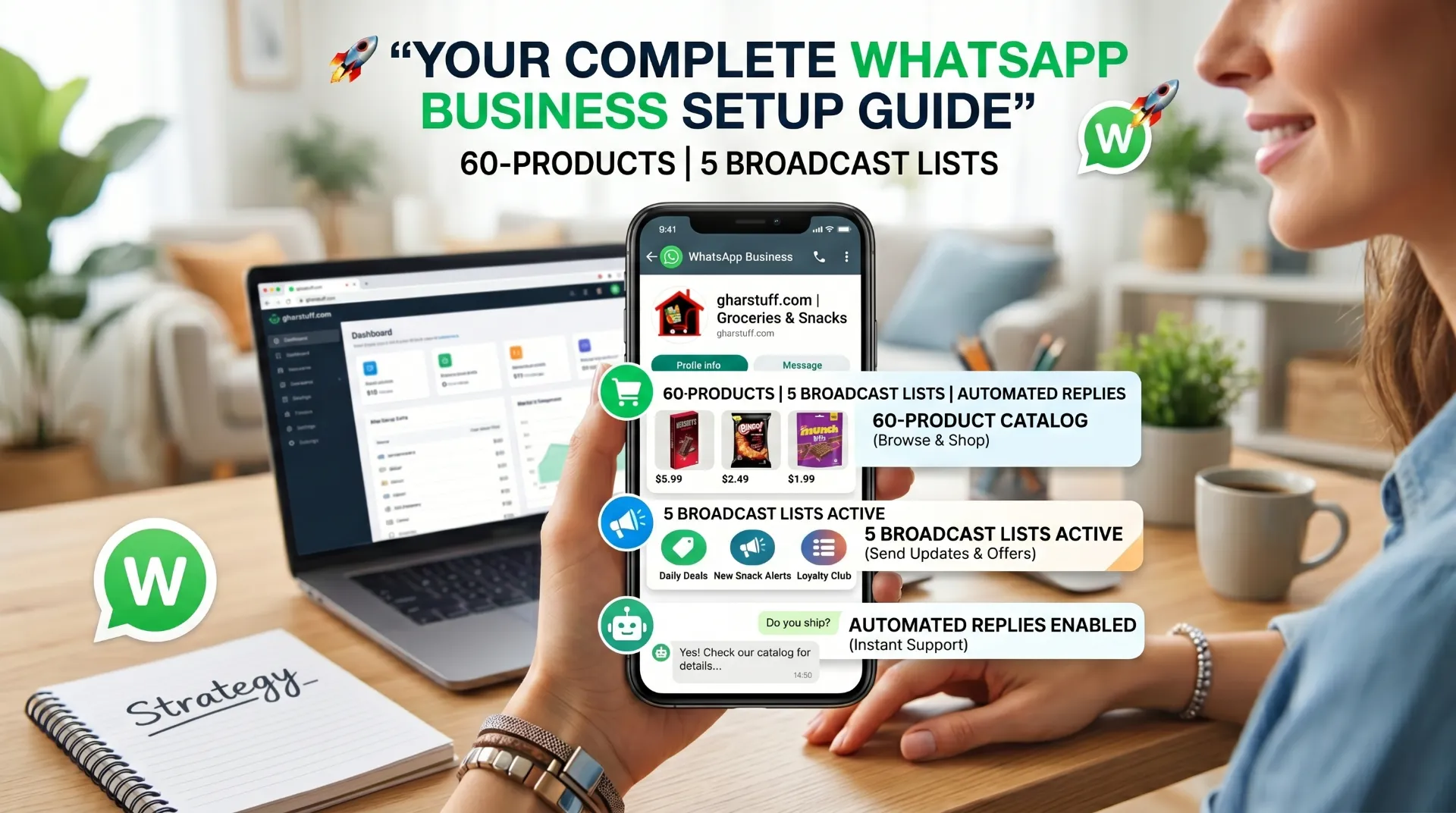
The catalog is the most underused feature. Most owners set up a profile and stop. The catalog turns WhatsApp into a mini ecommerce store — customers browse, see prices, and place orders without leaving the chat.
I don’t catalog everything. I have 60 products across 6 categories, representing about 65% of daily order volume. Start with:
- Top 5 dairy items (milk, paneer, curd, butter, ghee)
- Top 5 staples (atta, rice, dal, sugar, salt)
- Top 5 oils and cooking essentials
- Top 5 snacks and beverages
- Top 5 items customers ask about most via chat
- Top 5 seasonal or high-margin items
For each product: clear photo on a light background, name with brand and size, accurate price, and a one-line description. For perishables: “Fresh delivery daily, expires in 3–4 days.”
📈 Catalog impact at gharstuff.com: Before the catalog, customers messaged “bhaiya paneer hai?” and waited for my reply. After — they tap the catalog, check themselves, and message “1kg paneer please.” Questions about availability dropped by more than half in the first month.
💡 Maintenance rule: Update prices weekly, especially fresh produce. For daily-change items add a note: “Price may vary — ask for today’s rate.” An outdated price destroys trust faster than any mistake.
Quick Replies & Labels — Answer Customers in Seconds
Before quick replies, Vishal was typing the same answers to the same five questions 15–20 times a day. Now he types /hours and the full answer appears. Tap send. Done.
Settings → Business Tools → Quick Replies → Add. Use the “/” shortcut in any chat to pull up your list. Here’s my full set:
| Shortcut | Message Text |
|---|---|
| /hours | We’re open Mon–Sat 8am–9pm, Sunday 9am–2pm. Orders placed before 12pm ship same day. |
| /delivery | Yes, we deliver! Minimum order ₹299. Delivery charge ₹30 (free above ₹599). Usually 2–4 hours. |
| /order | To place an order: send us your list of items with quantities. We’ll confirm availability and total. Payment: UPI/cash on delivery. |
| /pay | We accept: UPI (Gpay/PhonePe/Paytm), cash on delivery, or direct bank transfer. UPI ID: [your UPI ID] |
| /catalog | Browse our top products here: [paste your catalog link] — or just send us a list and we’ll check availability. |
| /thanks | Thank you for ordering from Ghar Stuff! Your order is confirmed. We’ll message you when it’s out for delivery. 🙏 |
| /notavail | Sorry, [item] isn’t available right now. I’ll note it down — we should have it by [day]. Can I suggest an alternative? |
📈 Result: Response time dropped from ~4 minutes per customer to under 30 seconds. Vishal handles 40–50 customer chats daily. That’s 2+ hours saved every day.
Labels — Organise 200+ Customer Conversations
Labels are color-coded tags you apply to chats. Without them, your inbox becomes unmanageable after 100 customers. Long-press any chat to label it. Tap the label name in your sidebar to filter.
Labels I use daily
- 🟡 New Customer — first-time buyers
- 🔵 Order Pending — placed, not yet dispatched
- 🟢 Order Dispatched — out for delivery
- 🔴 Payment Due — COD not yet collected
- 🟠 Complaint — needs resolution
Labels I dropped
- ❌ “VIP Customer” — too subjective, created inconsistency
- ❌ “Follow Up” — I forgot to follow up anyway
- ❌ “Bulk Order” — merged into broadcast list instead
Broadcast Lists — The 2026 Rules + My List Structure
Broadcast lists send one message to up to 256 customers at once. Each receives it as a private message — they can’t see other recipients. This feature drove 28% more Tuesday sales at gharstuff.com.
⚠️ 2026 engagement-based limits — read before your first broadcast
WhatsApp monitors engagement rates. New accounts start with a 250 daily message limit, scaling to 2,000 → 10,000 based on message quality and low block rates. If recipients report your message as spam, delivery gets restricted across your whole account — sometimes for weeks. Two blocks in one broadcast is enough to trigger it. Only message people who know your store and chose to save your number.
Messages only reach contacts who’ve saved your number. This is a feature — it naturally filters toward engaged customers. Make sure every new customer knows to save it (see the section below).
| List Name | Who’s on it | What I send | Frequency |
|---|---|---|---|
| Weekly Deals | All active customers (256 max) | Tuesday offer broadcast | Once/week max |
| Near-Expiry Alerts | Budget-conscious regulars (~80) | Discounted near-expiry items | 2–3×/week |
| Bulk Buyers | Customers ordering 5kg+ regularly (~40) | Bulk deal alerts on good pricing | When relevant |
| New Arrivals | Customers who’ve asked “do you carry X?” | Seasonal products, fresh arrivals | Monthly |
| Re-engagement | Inactive customers (~40–50) | “Haven’t seen you — 10% off your next order” | Monthly |
The near-expiry list is directly connected to my waste reduction system — broadcasting discounted near-expiry items to 80 customers cut waste cost from ₹4,000/month to ₹900/month. Full strategy in the food waste reduction guide.
Away Messages & Greeting Messages — Set These Up Day One
Two automated messages that eliminate a lot of unnecessary anxiety — yours and your customers’.
Greeting Message — sent automatically to customers who message you for the first time, or after 14 days of inactivity. Settings → Business Tools → Greeting Message → toggle on → Edit.
My greeting: “Namaste! 🙏 Welcome to Ghar Stuff. We deliver groceries across Hisar — atta, dal, rice, dairy, oil and 800+ more products. Type your order or browse our catalog. For quick answers, just ask!”
Away Message — sent automatically outside business hours. Settings → Business Tools → Away Message → toggle on → set schedule to “Custom Schedule” → enter your off hours.
My away message: “We’re closed right now but we’ll reply first thing in the morning. Business hours: Mon–Sat 8am–9pm, Sun 9am–2pm. Your message is saved — no need to resend. 🙏”
That last line — “no need to resend” — cuts duplicate messages by about 70%. When customers don’t hear back, they resend the same thing three times. One sentence prevents all of it.
Daily Workflow — 25 Minutes That Keep It Running
Morning (10 minutes): Check your inventory sheet for near-expiry and fresh stock. Pick 3–5 items worth broadcasting. Send one message to your Weekly Deals list or Near-Expiry list (not both). Example: “Fresh stock today: Milk ✓ Bread ✓ Eggs ✓. Butter ₹10 discount — first 30 orders only. Reply to order.”
Evening (15 minutes): Reply to messages using Quick Replies. Confirm pending orders. Update catalog prices if needed — especially fresh produce. Move completed orders from “Order Pending” to “Order Dispatched” labels.
25 minutes total. The habit of sending consistently — once or twice a week, not three times in a panic — is what builds the response rate from 12% to 38–42%. I cover the full broadcast calendar and ChatGPT-assisted message writing in the WhatsApp marketing strategy guide.
How to Get Customers to Save Your Number
Everything above only works if customers have saved your number. Here’s what worked at gharstuff.com — all free, all low-effort:
- Printed on every delivery bag — “Save this number for weekly deals” with the number large
- Added to every invoice — “WhatsApp us for reorders” under the total
- Asked verbally at checkout — Vishal says “save our WhatsApp for delivery updates” while packing the bag
- Google Business Profile — WhatsApp number in the messaging and contact fields. Customers who find you on Maps can message directly. (Full GBP setup: Google Business Profile guide)
It took about 6 weeks to go from 40 saved contacts to 150. Now 230+ customers have the number. The list grows on its own — when someone gets a good deal through a broadcast, they tell a family member who saves the number too.
🇮🇳 India vs US / UK / Canada — What’s Different
| Setup Decision | India | US / UK / Canada |
|---|---|---|
| WhatsApp vs SMS | WhatsApp-first — most customers are here | Run both. Many customers don’t use WhatsApp. |
| Broadcast timing | 9–11am IST works well | 8–10am local time as starting point |
| Language | Mix Hindi/English naturally | English only; shorter, simpler phrasing |
| Payments via WhatsApp | WhatsApp Pay available | Not available — link payment separately (Venmo, Zelle, etc.) |
| Community adoption | Near-universal | Higher among South Asian, Latin, African diaspora communities |
For US/UK stores: the get more customers guide covers the WhatsApp + GBP + local walk-in combination in more detail.
The 2 Mistakes I Made (So You Don’t Have To)
Mistake 1: Three Broadcasts in One Week Before Diwali
I thought more messages = more orders. I sent Monday (new arrivals), Wednesday (Diwali special), Friday (last chance) — all three to my full 256-contact list. Friday’s response rate collapsed. Two people blocked me. Delivery rates dropped for 2 full weeks.
Fixed rule: One broadcast per week to my full list. Maximum. Special event broadcasts go to sub-lists of 60–80 highly engaged customers only.
Mistake 2: Sending at 2pm
I thought afternoon was good timing — people are bored after lunch. Wrong. After 16 weeks of testing:
| Time | Response Rate | Notes |
|---|---|---|
| 8:30–9:00 AM | 38–42% | Best — morning grocery planning mindset |
| 6:30–7:00 PM | 30–35% | Second best — “what’s for dinner” window |
| 12:00–2:00 PM | 18–22% | Worst — people busy with lunch/work |
| 9:00–10:00 PM | 25–28% | Okay — but away message delays reply until morning |
Your timing may differ based on your customer base. Test for 4 weeks before judging. Office-area stores may find evening beats morning. My numbers are from a residential delivery grocery in Hisar — adjust accordingly.
Real Results From gharstuff.com — 8 Months of WhatsApp Business
Before vs After Setup
| Metric | Before WhatsApp | After Setup |
|---|---|---|
| Tuesday revenue | Baseline | +28% (after 16 weeks) |
| Near-expiry waste/month | ₹4,000 ($48) | ₹900 ($11) — 77% less |
| Avg broadcast response rate | — | 38–42% (from 12%) |
| Time answering repeat questions | ~2 hrs/day (Vishal) | ~25 min/day (quick replies) |
| New customers via WhatsApp referral | 0 | 8–12/month |
Setup time: 20 minutes. The marketing strategy on top of it — ChatGPT-written broadcasts, near-expiry alert integration with inventory — that’s the WhatsApp marketing strategy guide. This setup is just the foundation.
💰 Connect your inventory to your WhatsApp broadcasts
Zoho Inventory’s free plan tracks stock levels and flags near-expiry dates — feeding directly into your broadcast strategy. The Python alert script I built (free download below) sends WhatsApp-ready alerts before items expire. Sign up through this link and get $100 in Zoho Wallet credits.
Try Zoho Inventory Free → Get $100 CreditsFinal Verdict — The Free App Is All You Need
This WhatsApp Business setup for grocery stores cost ₹0 and took 20 minutes. If you only remember three things:
- WhatsApp Business is completely free and enough for any single-store grocery. Catalog, quick replies, broadcasts — all included at ₹0.
- The setup takes 20 minutes. The habit makes the money. One broadcast per week. Segmented lists. Morning timing. That’s the formula that produced 28% more Tuesday revenue.
- Start with your top 30 catalog products and 7 Quick Replies. Build one broadcast list from your most loyal 50–100 customers. Send once a week for a month before you judge it.
Start today. Download the app. Register a business number. Add your top 30 products. Set 7 quick replies. That’s 20 minutes of work that changes how every customer reaches you.
📥 Free WhatsApp Business Starter Kit
5 broadcast message templates, my 7 quick reply scripts, and the full setup checklist — all tested at gharstuff.com. Free download below.
Free. No spam. Unsubscribe anytime.

About the Author
Rahul Saini
Grocery store owner in Hisar, India, running gharstuff.com since 2019 with 800–1,200 SKUs daily. I test AI tools in my real store — with real staff, real customers, and real consequences when something doesn't work. Every number on this site is from my actual store.
Read My Full Story →FAQs — WhatsApp Business Setup for Grocery Stores
Q1: Is WhatsApp Business completely free?
A: Yes — the WhatsApp Business App has no subscription, no per-message cost, and no feature paywalls. Catalog, quick replies, broadcasts, labels — all free. The paid version (WhatsApp Business API) requires a third-party provider costing ₹2,000–8,000/month and is only relevant for stores with 500+ regular customers who need automation and team inboxes.
Q2: Can I use my personal WhatsApp number for my grocery store?
A: You can migrate your personal number to WhatsApp Business, but you’ll lose your personal chat history in the process. The safer option is a second SIM card — ₹149/month gives you a permanent business number that customers save separately from your personal contact. Migration can technically be reversed, but it’s a hassle not worth the trouble.
Q3: How many contacts can I broadcast to at once?
A: The free app allows broadcast lists of up to 256 contacts each. You can create multiple lists for different customer segments. New accounts start with a 250 daily message limit, which increases to 2,000 and then 10,000 based on engagement quality and low block rates. Only recipients who have saved your number will receive broadcasts.
Q4: Do customers need to save my number to receive broadcasts?
A: Yes — this is the most important limitation of the free app. Broadcasts don’t reach customers who haven’t saved your number. Tell every customer at checkout: “Save our number for weekly deals on WhatsApp.” Print it on delivery bags and invoices. It took 6 weeks at gharstuff.com to go from 40 to 150 saved contacts.
Q5: How many products can I add to my WhatsApp catalog?
A: Up to 500 products in the free app, each with a photo, name, price, and description. I maintain 60 products across 6 categories at gharstuff.com. Start with your 20–30 most requested items — they cover 60–70% of repeat order volume and train customers to use the catalog before you’ve added everything.
Q6: What’s the difference between WhatsApp groups and broadcast lists?
A: In a group, everyone can see each other’s messages and replies. In a broadcast list, each recipient gets your message as a private one-on-one chat — they reply to you privately and can’t see other recipients. For promotions and offers, always use broadcast lists. Groups are better for supplier coordination or staff communication where collective visibility helps.
Q7: Can multiple staff use the same WhatsApp Business account?
A: The free app supports 1 primary phone + up to 4 linked devices via WhatsApp Web. At gharstuff.com, Vishal answers from the counter on a linked laptop tab while I monitor from my phone. No extra cost, no extra account — just WhatsApp Web open on another device.
Q8: Does WhatsApp Business work for stores in the US and UK?
A: Yes, the app is available globally. WhatsApp adoption in the US and UK is around 30–40% of smartphone users in 2026 — lower than India, but growing. US/UK stores should run WhatsApp alongside SMS rather than replacing it. Stores serving South Asian, Latin American, or Middle Eastern communities will see faster adoption since WhatsApp is the primary communication channel in those communities.
🔗 Disclosure: WhatsApp Business is 100% free — no affiliate relationship. This article contains one affiliate link to Zoho Inventory — I may earn a commission at no extra cost to you if you sign up through it. All results (28% revenue increase, ₹900 waste) are from my actual store, gharstuff.com. See our full disclaimer.
Are you using WhatsApp Business for your store? What’s your biggest frustration with customer communication? or Any questions about WhatsApp Business setup for grocery stores? Drop them below. — I read every one.