
🔄 Last updated: April 14, 2026
These ChatGPT prompts for retail store owners are the exact ones I use every week at gharstuff.com — tested on real inventory, real staff problems, and real customers. Copy-paste ready, free PDF included.
ChatGPT Prompts for Retail Store Owners
25 That Actually Work (Copy & Paste Ready)
Not prompts from a blog that’s never run a shop. These come from gharstuff.com — a real grocery store with 800–1,200 SKUs and one staff member named Vishal who still prefers his paper notebook.
I’ll be honest — the first time I typed a grocery problem into ChatGPT, I felt slightly ridiculous. It was a Tuesday evening, I had 11 Amul milk packets expiring in 4 days, and I was asking a chatbot what to do. Vishal walked past, looked at my screen, and quietly made tea.
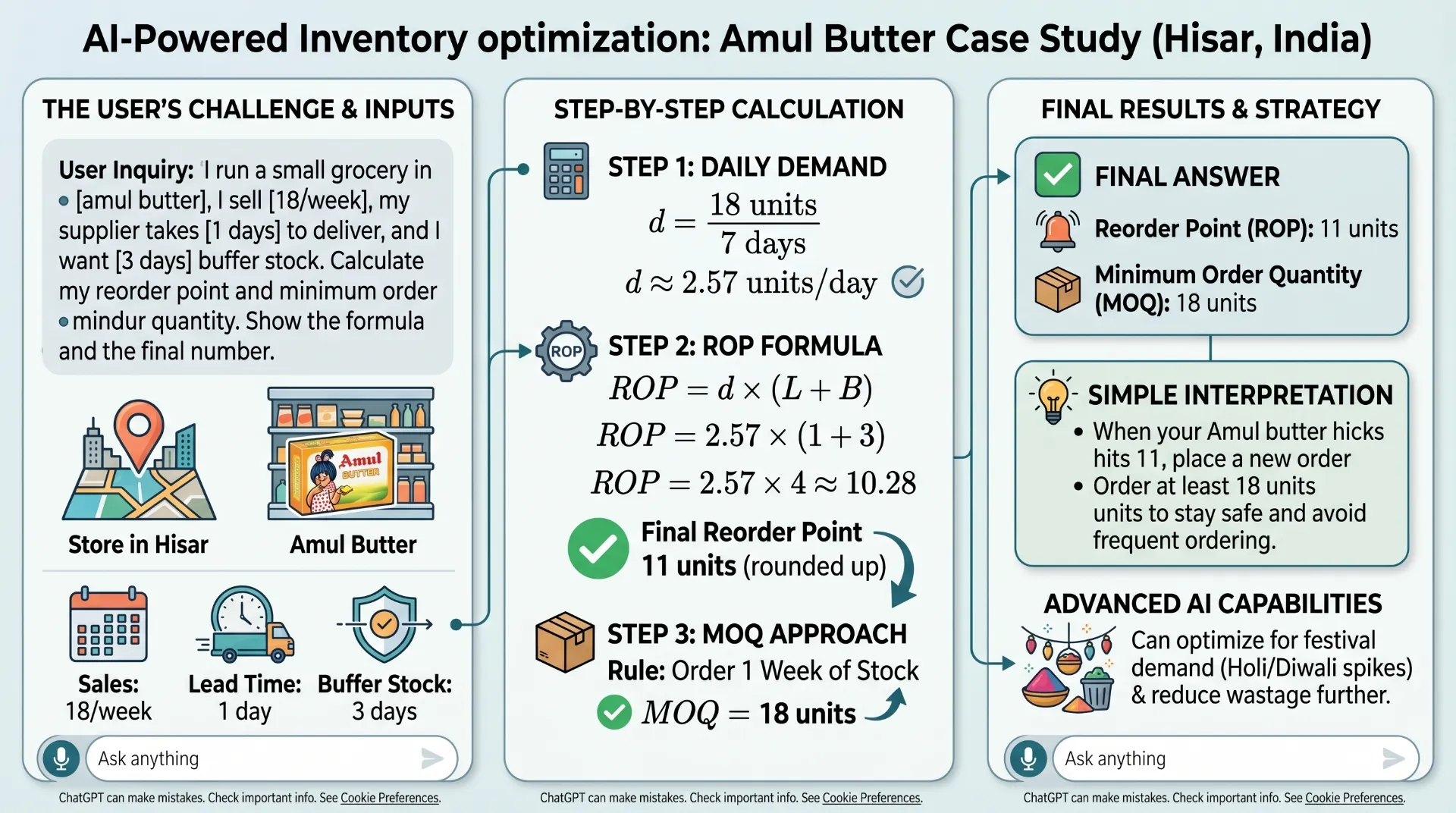
That was eight months ago. ChatGPT has quietly become one of the most useful things in my store — not because it’s magic, but because asking the right question gets you a useful answer in 30 seconds instead of 45 minutes of guessing. The difference is entirely in how you write the prompt.
Most “ChatGPT prompts for retail” articles online are written by people who’ve never run a shop. They give you things like “Analyze my market and identify growth opportunities.” That’s useless at 10pm when you’re trying to figure out why your biscuit sales dropped. These prompts are built from important data in your grocery store — real numbers, real problems, real results.
The Prompt Formula (Quick Answer)
The best ChatGPT prompts for retail store owners follow one formula: Context + Specific Problem + Output Format. Give ChatGPT your store type, real sales numbers, and the format you want (table, list, steps). Vague prompts give vague answers. Specific prompts give results you can act on tomorrow morning.
📚 Quick Navigation
Before You Start — The Prompt Formula
Every prompt in this article follows the same structure. Once you understand it, you’ll start writing your own. Three parts:
THE PROMPT FORMULA
[Context] + [Specific Problem] + [Output Format]
Context = store type, size, city. Problem = exact situation with real numbers. Format = table, numbered list, or step-by-step.
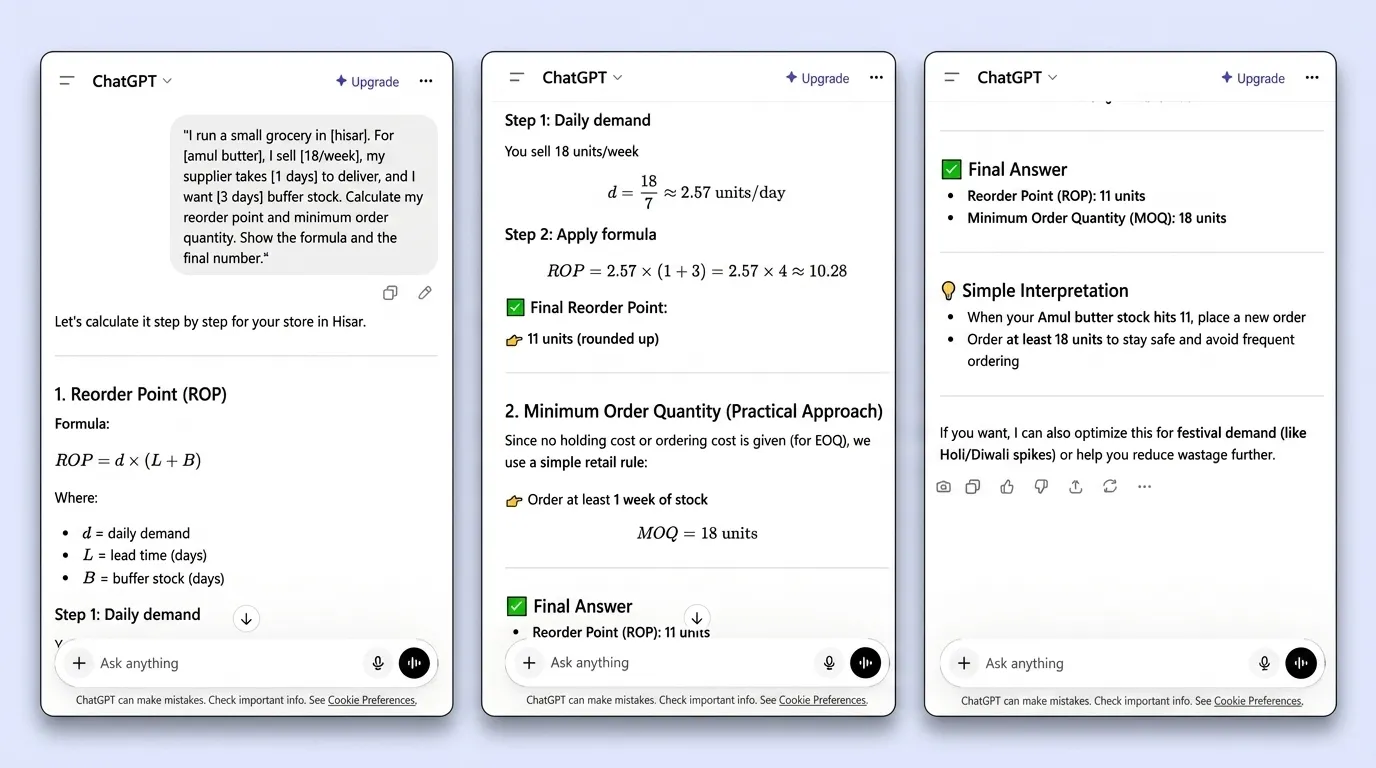
“Help me reduce waste” gets a lecture. “I run a 900-SKU grocery in Hisar, dairy waste ₹4,000/month, supplier delivers every 2 days — what’s the fastest fix?” gets something you can do tomorrow morning. Every bracket below is where you swap in your own details. Don’t skip that step — the more specific, the more useful the answer.
Inventory & Stock Management (6 Prompts)
This is where ChatGPT saved me the most time. I used to spend Sunday evenings manually figuring out Monday morning orders. Now it takes 20 minutes. Here are the six prompts I use most often — and the results I actually got from them.
✅ 3 more inventory prompts in the free PDF download below:
#4 ABC Category Analysis — Find your top revenue SKUs, reorganise shelf space. I found 14 “A” items driving 70% of revenue and was treating them like C items. #5 Supplier Comparison — Total landed cost, not just unit price. My cheaper atta supplier was wiping out savings with 5-day delivery. #6 Stockout Root Cause — For stubborn stockouts that keep coming back even after you “fixed” them.
💰 New user bonus
I use Zoho Inventory to track the data I feed into these prompts — stock levels, sales, reorder points. Sign up free and get $100 in Zoho Wallet credits.
Try Zoho Inventory Free → Get $100 CreditsFood Waste & Expiry (4 Prompts)
This section exists because of one Tuesday morning when I found 11 Amul milk packets in the garbage — ₹450 ($5.40) gone before the store even opened. I was losing ₹15,000 ($180) every month to waste. ChatGPT helped cut that by 35% in 60 days — not by being magic, but by making the math visible and the actions obvious.
✅ 2 more waste prompts in the free PDF:
#9 Discount Pricing Calculator — Break-even math so you know exactly what discount to apply. No more guessing 20% and hoping. #10 Zero-Waste Order Quantity — Accounts for weekday vs weekend demand split. For dairy this is critical. I wasted 2 weeks not including this in my prompt.
Pricing & Margin (4 Prompts)
Most small grocery owners price by feel and gut. I did that for years. ChatGPT made the math fast enough that I actually started doing it properly. These four prompts cover the pricing situations that come up most often.
✅ 3 more pricing prompts in the free PDF:
#12 Festival Pricing Strategy — Which to stock more before Diwali/Holi/Eid AND which 2 categories to order less of (equally valuable). #13 Bundle Pricing Builder — Pair slow movers with fast movers at a price that still hits your margin target. #14 Supplier Price Increase Response — When supplier raises prices, see the margin impact of all 4 options instantly instead of guessing for days.
Customer & Marketing (5 Prompts)
I’m not a marketer. But some of these prompts brought in new customers at zero cost. GBP alone took gharstuff.com from 0 to 400+ monthly searches in 90 days — and Prompts #15 and #16 are the reason the profile stayed active.
✅ 3 more marketing prompts in the free PDF:
#17 WhatsApp Broadcast — Under 60 words, Hinglish option, max one emoji. Longer messages don’t get read. #18 Customer Complaint Handler — Kept 4/4 customers after complaints using this. When someone complains in the moment, it’s hard to think clearly. #19 Discount Sign Writer — 3 versions per product: urgency, value, conversational. Pick the best and write it on a card in 4 minutes total.
Staff & Operations (3 Prompts)
Running a store with one staff member means operational problems hit you directly. Vishal has been with me three years and is reliable — but getting him to follow a new process consistently required actual documentation, not verbal explanation. ChatGPT made that documentation take 5 minutes instead of an evening.
✅ 2 more operations prompts in the free PDF:
#21 Daily Opening Checklist — Laminate-ready, tailored to your store layout and sections. “We forgot to check X” incidents: near zero after 4 months of daily use. #22 Supplier Negotiation Script — 3 data points I hadn’t thought of led to 4% better rate on atta = ₹3,200/month saved on one product.
Seasonal & Planning (3 Prompts)
Getting seasonal planning wrong costs money in both directions — overstock you mark down, or stockouts on your busiest days of the year. These three I run at the start of every month and before every major festival.
✅ 2 more planning prompts in the free PDF:
#24 Monthly Cash Flow Estimator — Real net margin calculation. Mine was 6.2% — I thought it was higher. ChatGPT then gave 3 realistic levers to pull, all of which I’m actively working on. #25 “What Should I Focus On This Month?” — Run on the 1st of every month. 5 minutes to fill in, 30-day priority list as output. The phrase “be specific, not generic” at the end of the prompt is what makes it work.
The 3 Mistakes That Give You Useless Answers
I wasted two weeks getting bad ChatGPT outputs before figuring out what I was doing wrong. These three mistakes account for almost all the frustration people have with AI tools.
❌ Mistake 1 — No context about your store. “Help me reduce waste” → generic lecture. “I run a 900-SKU grocery in Hisar, dairy waste ₹4,000/month, supplier delivers every 2 days” → actionable plan. Two sentences of context changes everything.
❌ Mistake 2 — No numbers. “Milk sales are dropping” → useless. “Amul Taaza dropped from 38 to 26 packets/week over 3 weeks, price unchanged, no new competitor nearby” → ChatGPT can actually reason about it and suggest causes.
❌ Mistake 3 — Accepting the first answer. First answer is a starting point. Push back: “Too vague — give me something specific for a small grocery with 1 staff.” The follow-up conversation is usually more useful than the first response. I rarely use the first answer directly.
Before & After: What Changed at gharstuff.com
| Metric | Before ChatGPT | After 60 Days | Prompts |
|---|---|---|---|
| Inventory planning time | 12 hrs/week | 4 hrs/week (67% less) | #1, #3, #4 |
| Monthly food waste cost | ₹15,000 ($180) | ₹9,750 ($117, 35% less) | #7, #8, #9, #10 |
| Stockouts per month | 11 | 3 (73% fewer) | #1, #6 |
| GBP monthly searches | 0 | 400+ (90 days) | #15, #16 |
| Atta supplier cost | Base rate | 4% lower (₹3,200/month) | #22 |
$0 spent. 67% less inventory time. 35% less waste. 73% fewer stockouts.
For the complete inventory system behind these numbers — reorder points, expiry alerts, stockout tracking — start with the stockout reduction guide and the full AI inventory tools comparison.
📥 Free Download — All 25 Prompts + Toolkit
📥 Free Toolkit — GBP Checklist + Waste Tracker + ChatGPT Prompts
All 25 prompts in a formatted PDF you can print or keep on your phone, plus the AI Waste Tracker, GBP Optimization Toolkit, Zoho Expiry Alert script, and Inventory Toolkit. Free, no credit card.
Free. No spam. Unsubscribe anytime.
FAQs — ChatGPT Prompts for Retail Store Owners
Q1: Do I need ChatGPT Plus (paid) to use these prompts?
Q2: How accurate is ChatGPT for demand forecasting in a grocery store?
Q3: Are these prompts only for grocery stores in India?
Q4: Is my store’s sales data safe to share with ChatGPT?
Q5: How long until I see real results from using these prompts?
Q6: Can I use these prompts together with Zoho Inventory?
Q7: What’s the single most valuable prompt for a first-time user?
Q8: What inventory management software works best alongside ChatGPT?
Your Move — Start With 3 Prompts This Week
- Prompt #1 — Reorder Point for your top 5 fastest-moving products.
- Prompt #7 — Near-Expiry Plan the next time you spot items close to date.
- Prompt #15 — Google Post — one update this week, even if it’s just “fresh stock arrived.”
ChatGPT won’t replace your judgment. But it will replace the 30 minutes you spend staring at the problem before knowing where to start.
If you’re new to AI tools for retail, start with the AI inventory tools comparison. Already tracking inventory? The Zoho setup guide gets the data pipeline in place so these prompts have real numbers to work with. And once inventory is sorted, the get more customers guide is the natural next read.
Which prompt are you trying first? Leave a comment — I read every one.

About the Author
Rahul Saini
Grocery store owner in Hisar, India, running gharstuff.com since 2019 with 800–1,200 SKUs daily. I test AI tools in my real store — with real staff, real customers, and real consequences when something doesn’t work. Every number on this site is from my actual store.
Read My Full Story →Related Articles
Last updated: April 2026. Prices and features verified at time of publication. Author: Rahul Saini, SmallRetailAI.com.