
🔄 Last updated: April 10, 2026
Here is exactly how I reduce stockouts small grocery store from 11 incidents per month down to 3 — a proven system using free reorder point alerts, ChatGPT demand forecasting, and one Saturday afternoon of Zoho setup that cost me nothing.
How to Reduce Stockouts Small Grocery Store — Proven System, 73% Fewer Stockouts
She came every Friday. Two years, without missing a week. Packaged dal — specific brand, specific size — plus a few other items. Total bill around ₹380 ($4.50). I knew her order before she reached the counter.
One Friday I didn’t have the dal. I told her we’d have it by Monday. She said “okay, I’ll try the other place.” That was eight months ago. She hasn’t been back since.
That’s not one lost sale. That’s ₹380 × 52 Fridays — almost ₹20,000 ($240) a year, gone because I didn’t reorder in time. And she was just one customer. I had eleven stockout incidents that month alone.
What I didn’t understand until I actually tracked it: stockouts don’t appear anywhere in your accounts. There’s no “lost sale” line in your P&L. The customer quietly stops coming and you assume they moved away or got busy. You never know it was the empty shelf that drove them out.
After sixty days of fixing this systematically, I went from 11 stockout incidents per month down to 3. A 73% reduction, using Zoho Inventory’s free plan, a reorder point formula that takes two minutes to explain, and ChatGPT for products where demand fluctuates. Total cost: $0.
This is the exact system I used in my real store to eliminate stockouts — with specific numbers and steps any small grocery store owner can follow today.
was 11/month
was manual guessing
was 12 hrs/week
was ~60%
Why Small Grocery Stores Keep Running Out of Stock
Before the fix, it helps to know which type of stockout you’re actually having. After tracking thirty days of incidents before changing anything, three distinct causes came up repeatedly in my store — and each needs a different fix.
| Root Cause | What It Looks Like | Products Affected | The Fix |
|---|---|---|---|
| No reorder trigger | You notice the empty shelf. Too late. | Fast-moving staples — milk, bread, eggs, cooking oil | Reorder points in Zoho (Step 1) |
| Wrong order quantity | You ordered — just not enough | Variable demand items — snacks, seasonal, festival products | ChatGPT Monday forecasting (Step 3) |
| Supplier delay not accounted for | Ordered on time, stock arrived late | Products from inconsistent suppliers | Lead time buffer in the formula (Step 2) |
My eleven monthly stockouts broke down as: six from no reorder trigger, three from wrong quantity, two from supplier delays I hadn’t built into my calculations. The system below addresses all three in order of impact.
The 4-Step System to Reduce Stockouts Small Grocery Store
These are the four things I did, in the order I did them. Steps 1 and 2 can be completed in a single Saturday and show results within the first week. Steps 3 and 4 build on top and compound over time.
Step 1 — Set Reorder Points for Your Top 20 Products (Free in Zoho)
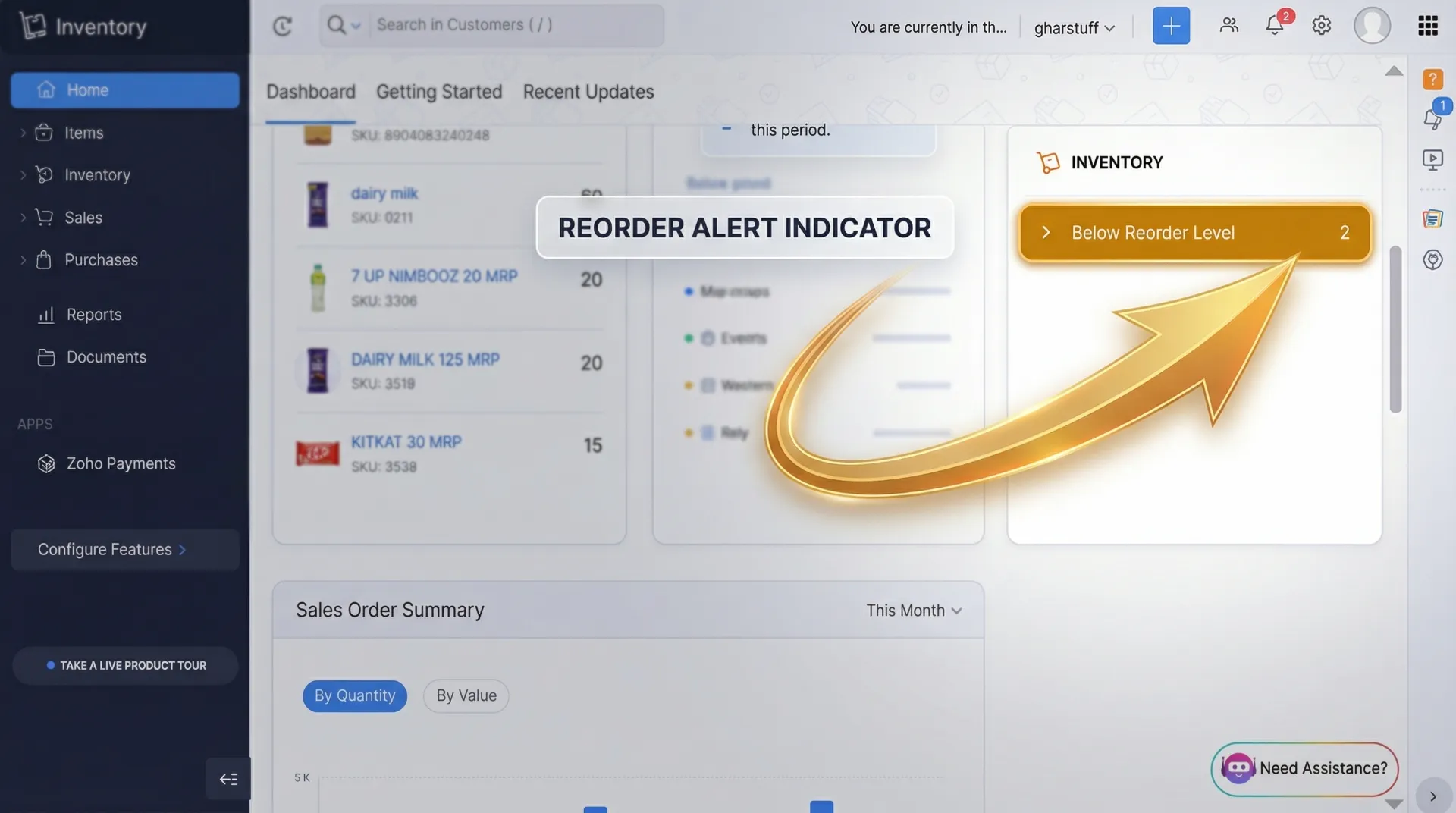
Before I set reorder points, I was mentally tracking stock levels for 800+ products. That’s not a system — it’s hoping you notice before a shelf goes empty. With reorder points in Zoho, the tool notices for you and sends a low stock alert. You stop running out of things because you forgot to look.
A reorder point is the minimum stock level at which you need to place an order. Three numbers are all you need per product:
- Daily sales: Average units sold per day. Four weeks of data is ideal. An honest estimate works fine to start — you’ll refine it with real data.
- Lead time: Days between placing an order and stock arriving on the shelf. Not what the supplier promises — what actually happens.
- Safety stock: Your buffer for bad weeks or late deliveries. I use 2–3 days of average daily sales for most products, 5 days for top-sellers I can’t afford to run out of.
Here’s what my actual reorder points look like for five products from my store — so you can see the formula with real numbers:
| Product | Daily Sales | Lead Time | Safety Stock | Reorder Point | 60-Day Result |
|---|---|---|---|---|---|
| Amul Butter 100g | 8 pcs | 2 days | 5 | 21 | 0 stockouts |
| Toned Milk 1L | 22 pcs | 1 day | 10 | 32 | 1 near-miss, caught |
| Wheat Flour 10kg | 4 bags | 3 days | 4 | 16 | 0 stockouts |
| Toor Dal 1kg | 6 pcs | 2 days | 5 | 17 | 0 stockouts |
| Sunflower Oil 1L | 5 bottles | 2 days | 4 | 14 | 0 stockouts |
✅ The 20-product rule: Start with your top 20 by sales volume — that covers roughly 80% of your stockout risk. I spent the first Saturday on my top 20 and saw measurable results within the first week. The remaining 780 products could wait.
How to set it in Zoho: Open zoho inventory (Sign up free — new users get $100 in credits.) → click Items → click any product → Edit → scroll to Reorder Point → enter your number → Save. Zoho flags it on your dashboard and Low Stock report the moment stock drops to that level. This feature is included in the free plan — no upgrade needed.
Haven’t set up Zoho yet? Full walkthrough including the free Python expiry alert: Zoho Inventory Setup Guide for Small Retail
Step 2 — Track Real Supplier Lead Times (Yours Are Probably Wrong)
Setting reorder points only works if your lead time estimate is accurate. Three of my eleven monthly stockouts came from a reason I hadn’t noticed: one supplier had quietly slipped from 2-day delivery to 3–4 days. My reorder points were calculated for 2-day delivery. I was ordering a full day too late, every single time.
What I Was Doing
- Lead time from memory — “he usually comes in 2 days”
- No record of actual delivery dates
- Same assumption for all suppliers, never verified
- 3 stockouts per month from this one supplier alone
What I Changed
- Logged actual delivery dates in Google Sheets for 30 days
- Discovered real average: 3.2 days, not 2
- Updated reorder points to use 4-day lead time
- Zero stockouts from that supplier in the next 30 days
The Google Sheet setup: Three columns — Order Date, Supplier Name, Delivery Date. Log every delivery for 30 days. Calculate the real average per supplier. Use that number, not your assumption, in the reorder point formula.
⚠️ For unreliable suppliers: If delivery ranges from 2 to 5 days, use the longest time as your lead time — not the average. Being slightly overstocked occasionally is a far better problem than running out. After 6–8 weeks of real data, you’ll know whether to find a backup supplier.
Step 3 — Use ChatGPT Every Monday for Variable-Demand Products
Reorder points work beautifully for consistent-demand products — your daily milk, staple flours and dals, cooking oils. But some products don’t behave consistently. Cold drinks in summer. Festive snacks before Diwali. Items that spike when something happens locally.
ChatGPT is #3 on my full free tools list →
For those, a fixed reorder point isn’t enough — the right order quantity changes week to week. That’s where ChatGPT comes in every Monday morning.
I felt slightly ridiculous the first time I typed my sales data into a chatbot. Then it predicted cold drink demand would jump 40% in the last week of April because I mentioned a local school function. I stocked accordingly. Didn’t run out of a single cold drink that week — first time in three summers.
Week 1: [X] units · Week 2: [X] units · Week 3: [X] units · Week 4: [X] units
Context for next week: [festivals / weather / local events / anything unusual]
Supplier lead time: [X] days
How many units should I order to avoid a stockout without overstocking?
I use this for 8–10 variable-demand products every Monday morning. Takes ten minutes total. After four weeks of real sales data, I was hitting 85% order accuracy on the products I had previously been worst at forecasting.
📊 Which products to use this for: Any product where your last four weeks show more than 30% variation week to week. If sales are stable (within 10–15%), the reorder point from Step 1 is enough. ChatGPT adds the most value where demand genuinely fluctuates — seasonal items, festival products, weather-dependent stock.
For US stores: replace festival mentions with Thanksgiving, 4th of July, Super Bowl, back-to-school — same prompt, same accuracy improvement.
Full ChatGPT retail prompt library: How I Reduced Food Waste by 35% — 5 copy-paste prompts included
Step 4 — The Sunday Evening 15-Minute Review With Vishal
No automated system catches everything. Zoho’s reorder alerts work off the stock levels you’ve entered — if a delivery wasn’t logged, or something moved between shelves without being recorded, the numbers drift. A weekly fifteen-minute check keeps the whole system honest.
Vishal and I do this every Sunday evening after the store closes. It took three weeks before he started doing it without being reminded. Now he reminds me.
- Open Zoho Low Stock report. Anything flagged? Those get ordered first thing Monday morning — not later in the week.
- Review next week’s context together. Festival coming? Weather changing? Local events? Things Zoho doesn’t know that affect what we need to stock.
- Walk the top 30 shelves physically. Ten minutes. Vishal checks anything that looks lighter than Zoho says it should be.
- One-question stockout review: Did we run out of anything this week? If yes — why? The same three answers keep recurring. Fixing the root cause eliminates recurring stockouts.
✅ The habit that matters most: Check the Low Stock report before anything else on Monday. Not after the delivery arrives. Not when a customer asks. Monday morning, first thing. The five minutes you spend then prevents the Thursday panic when your bestseller shelf is empty.
Before vs After — My Real Results After 60 Days
Here’s what actually changed in my store after implementing this system to reduce stockouts. I was expecting 30–40% improvement. The results surprised me.
| Metric | Before | After 60 Days | Change |
|---|---|---|---|
| Stockouts per month | 11 | 3 | ↓ 73% — fewer stockouts |
| Inventory hours per week | 12 hours | 4 hours | ↓ 67% less time |
| Order accuracy | ~60% | ~85% | ↑ 25% better |
| Lost revenue from stockouts | ₹22,000–28,000/mo ($265–$335) | ₹4,000–6,000/mo ($48–$72) | ↓ ~75% recovered |
| Emergency supplier runs | 9 per month | 2 per month | ↓ 78% fewer |
| Monthly software cost | $0 (but no system) | $0 | Still $0 |
The tool that made this possible → and here is how to setup this tool
One honest caveat: results start in week 3, not week 1. Week 1 is setup. Week 2 is adjustment. Week 3 is when alerts start catching things you would have missed. Give it the full month before evaluating.
The 3 Stockouts That Remained — And Why I’m Okay With Them
I went from 11 to 3. Here’s exactly what those remaining three were — being honest about what the system didn’t catch is more useful than pretending it’s perfect.
| What Happened | Could the System Have Caught It? |
|---|---|
| Biscuit brand discontinued by supplier — I reordered, nothing arrived. Supplier hadn’t informed me the SKU was gone. | No. Supplier communication failure. The fix is a better supplier relationship, not a better reorder point. |
| Cold drinks during a sudden heatwave — Temperature went from 28°C to 42°C in three days. Demand tripled. Reorder point was set for normal weather. | Partially. ChatGPT can factor in weather if you mention it in the Monday prompt. I hadn’t included the forecast that week — my mistake, not the system’s. |
| Loose-weight rice — Vishal sold the last 2kg without logging it. Zoho showed stock remaining. It wasn’t there. | Yes — data entry discipline issue. Fixed by logging the loose item in Zoho properly from that day forward. |
The goal is not zero stockouts. It’s eliminating the ones caused by bad process — and that’s what went from eleven down to three. The remaining three were a supplier failure, a weather event I didn’t input, and one logging miss. Those will always exist occasionally in a real store. The system eliminates the preventable ones.
3 Mistakes That Keep Small Grocery Stores Running Out of Stock
❌ Mistake 1: Setting reorder points once and never updating them. Your sales change every season. Summer hits and cold drink demand doubles. A competitor opens nearby and a product starts moving faster at your store. Reorder points need reviewing every 6–8 weeks — especially for seasonal products. I spend 30 minutes at the start of each major season updating my top 50. Skipping this is how a system that worked in January causes stockouts in May.
❌ Mistake 2: Using the same safety stock for every product. Five units of safety stock is sensible for a product you sell three per day. It’s dangerously low for something you sell twenty-five per day. Safety stock must be proportional to daily sales velocity. My rule: two days of average daily sales for most products, four days for my top ten products I absolutely cannot run out of.
❌ Mistake 3: Treating the Low Stock alert as a suggestion. When Zoho flags a product as below reorder point, that means order today — not this week. The reorder point is calculated to give you exactly enough time for stock to arrive before you run out. Waiting two more days after the alert often means running out. Vishal has clear instructions: any Low Stock flag gets shown to me the same morning it appears.
Tools I Use to Reduce Stockouts — All Free
| Tool | Purpose in This System | Cost | Link |
|---|---|---|---|
| Zoho Inventory | Reorder point alerts, Low Stock report, purchase orders to suppliers | $0 free plan forever | chat.openai.com |
| Google Sheets | Supplier lead time log — three columns, 30 days of data | $0 | sheets.google.com |
| Google Lens | Barcode scanning when logging stock deliveries | $0 — already on your phone | Built into Android camera |
Total monthly cost: $0. The only investment is time — one Saturday afternoon for setup, fifteen minutes every Sunday to keep the system accurate.
💡 When to upgrade Zoho to Standard ($39/mo): The free plan covers everything in this guide. The only reasons to upgrade are needing 2+ staff logins, or placing more than 50 purchase orders per month. Most small grocery stores don’t hit either limit. I’m still on the free plan after 6 months — the stockout reduction happened entirely on the free tier.
According to Zoho’s official pricing page, reorder point alerts and the Low Stock report are both included in the forever-free plan — no credit card needed to start. The ChatGPT free tier provides access to GPT-4o at no cost, with message limits that are more than enough for a weekly retail ordering routine.
For a full comparison of inventory tools: 7 Best AI Inventory Tools for Small Retail — 60-Day Real Test
Complete Zoho setup walkthrough: Zoho Inventory Setup Guide for Small Retail
Start With 5 Products This Weekend — In This Order
Don’t try to implement everything at once. This is the sequence that gets you results fastest without overwhelming you in week one.
| When | What to Do | Time | What You Get |
|---|---|---|---|
| This Saturday | Set up Zoho free account. Import top 20 products. Calculate and enter reorder points for each. Start with your 5 biggest stockout offenders if 20 feels like too much. | 3–4 hours | Reorder alerts active. You’ll never again notice an empty shelf before getting a low stock alert. |
| This Sunday | Open Google Sheets. Three columns: Order Date, Supplier, Delivery Date. Log last month’s deliveries from memory as a starting point. | 20 minutes | Baseline for lead time tracking. After 30 days you’ll see which supplier assumptions were wrong. |
| Next Monday | Run the ChatGPT Monday prompt for your 5 most unpredictable products. Write down what you’d have ordered by gut feel. Compare at end of week. | 10 minutes | First data point. Accuracy improves each week as you build up sales history. |
| Next Sunday evening | First 15-minute review — Low Stock report, shelf walk, one-question stockout review. | 15 minutes | System running. Track your stockout count at end of month 1. |
By the end of month one you’ll have real data. Reorder points based on actual lead times. Variable orders informed by four weeks of sales history. The system doing the work your memory used to do — more reliably, without consuming attention during the actual business day.
For the full 7-tool comparison that led me to Zoho →
📥 Free Toolkit — Inventory Tracker + ChatGPT Prompt Library
The Excel files from my real store — reorder point calculator, supplier lead time tracker, waste log, and the full ChatGPT ordering prompt library. Free download, no credit card.
Free. No spam. Unsubscribe anytime.
Last updated: April 2026. All numbers from my real store in Hisar, India. Author: Rahul Saini, grocery store owner and founder of SmallRetailAI.com. Still getting stockouts on specific products? Tell me which ones in the comments — I usually have a specific fix.
How many reorder points should I set when starting out?
Start with your top 20 products by sales volume — that covers roughly 80% of your stockout risk. Don’t try to set reorder points for every SKU in one session. Get the top 20 working and see results within the first week. Then add products in batches of 20–30 each following Saturday until your top 100 are covered. I had all 100 done inside four weeks without it feeling like a big project.
What if I don’t know my exact daily sales numbers?
Estimate honestly and start anyway. A rough reorder point based on a reasonable estimate is vastly better than no reorder point at all. If you think you sell roughly 5 units a day, use 5. After 2–3 weeks of Zoho tracking real purchase orders, your numbers will self-correct. The first version doesn’t need to be perfect — it needs to exist.
Does this system work for non-grocery retail stores?
Yes, with minor adjustments. The reorder point formula is universal — it works for hardware stores, clothing boutiques, convenience stores, and pharmacies. Any retail store that replenishes stock from suppliers can use this approach. The ChatGPT forecasting prompt works for any product with variable demand. The main difference is that grocery stores deal with perishable expiry dates — which is why I also use the Python expiry alert system alongside the stockout prevention system.
My supplier is unreliable — delivery varies from 2 to 5 days. What lead time should I use?
Use the longest recent lead time, not the average. If delivery has ranged from 2 to 5 days recently, set your reorder point using 5 days as the lead time. Yes, you’ll sometimes hold slightly more stock than needed — that’s a much better problem than running out. After 6–8 weeks of logging real delivery dates in Google Sheets, you’ll have the data to decide whether to find a backup supplier for that product category.
Do I need the paid version of Zoho for reorder point alerts?
No. Reorder point alerts and the Low Stock report are both included in Zoho’s free plan — no upgrade needed. I’ve been on the free plan for 6 months and this entire stockout prevention system runs on it. The paid Standard plan at $39/month adds batch tracking and a second user login, neither of which is required for the system described in this article.
Can I use Google Sheets instead of Zoho for reorder point alerts?
Yes, and it’s a reasonable starting point. Build a sheet with Product, Current Stock, and Reorder Point columns, then use conditional formatting to highlight rows red when current stock hits the threshold. Ask ChatGPT to write the formula — it takes 5 minutes. The limitation compared to Zoho is that you have to manually update stock levels. Zoho updates them automatically from purchase orders, which is what makes the alerts reliable without daily manual data entry.
How long before I see real results from this system?
Week 1 and 2 are setup and adjustment — don’t expect dramatic results yet. Week 3 is when the alerts start catching things you would have missed manually. By the end of month 1 you’ll have real numbers to compare against your previous stockout rate. In my store, the stockout count dropped noticeably in the first full month and continued improving as I refined my lead time estimates and added more products to the system.
Does this stockout prevention system work for US and UK stores?
Yes — the reorder point formula and the weekly routine work identically everywhere. When signing up for Zoho, choose the United States or EU data center for faster load times. For the ChatGPT Monday prompt, replace festival mentions with US or UK equivalents — Thanksgiving, 4th of July, Super Bowl, Bank Holidays, Christmas shopping season. The system to reduce stockouts doesn’t change. Only the context you feed into the prompt does.