
🔄 Last updated: April 13, 2026
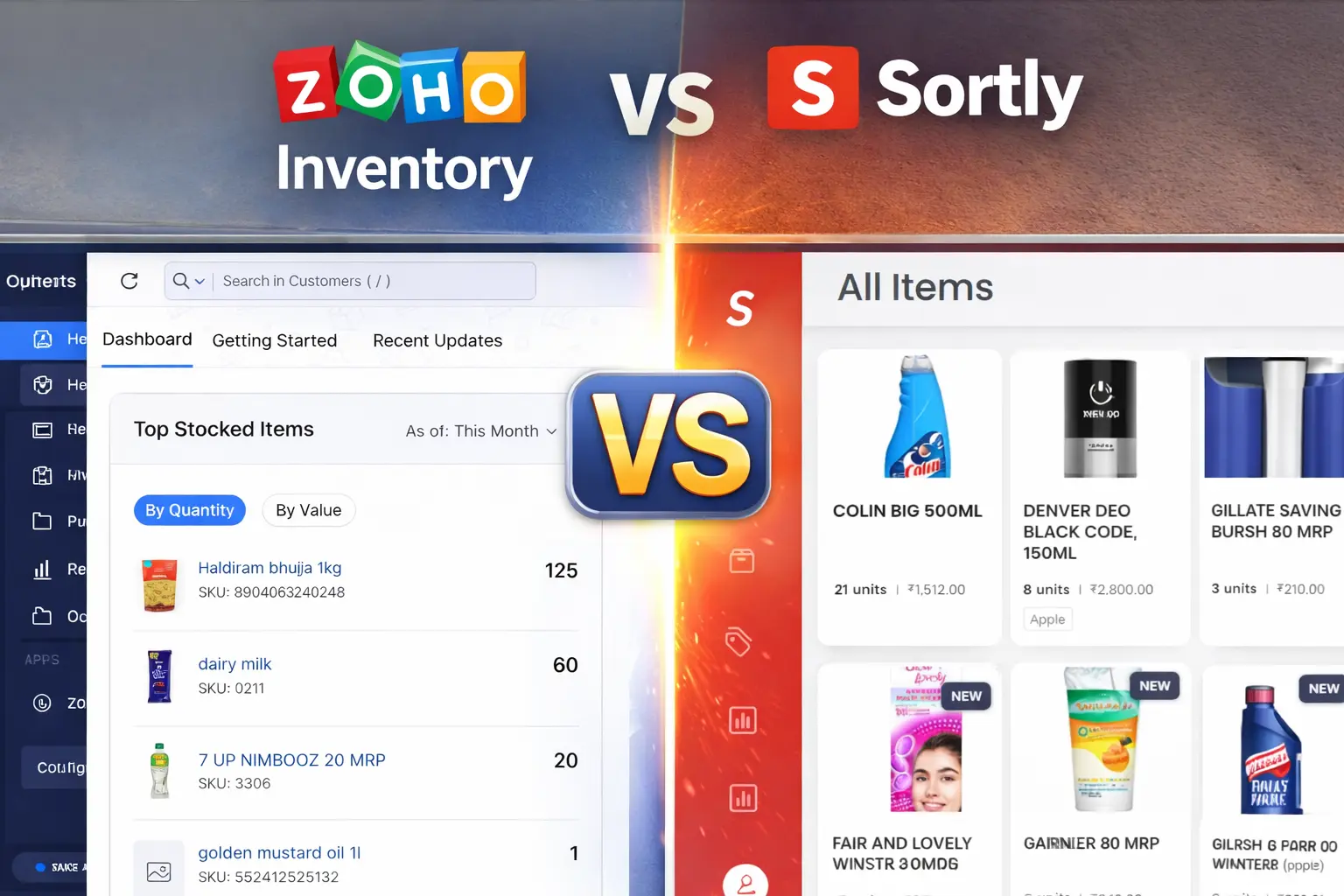
This Zoho vs Sortly small retail comparison is based on 60 days of real testing in my grocery store — not a feature list comparison from a tech blog.
Tested in a real grocery store for 60 days • Verified pricing • Honest verdict • No sponsored opinion
I’ve had this question from US and UK store owners every week since publishing my full inventory tool comparison: “I’ve narrowed it down to Zoho or Sortly — which one?” I ran both apps for 60 days in my real grocery store, gave them both to my staff member Vishal to use without any training, and tracked every result. Here’s the honest answer.
👤 About the Tester: I’m Rahul Saini — owner of gharstuff.com, a grocery store in Hisar, India with 1,200+ SKUs. I test inventory management software in my real store with real staff and real customers. Neither company paid me for this review. My verdict is based entirely on 60 days of real use.
⚡ The 30-Second Verdict
My Rating: Zoho Inventory 4.7/5 • Sortly 4.2/5
- You sell perishables (dairy, produce, bread)
- You need automated expiry alerts
- You want a powerful forever-free plan
- You place regular supplier purchase orders
- You need more than 100 SKUs for free
- You want stable long-term pricing
- You sell non-perishables (clothing, tools, hardware)
- You want 10-minute staff training
- Visual/photo-based inventory is your priority
- You work offline frequently
- Your team is not technical at all
Money Saved in My Store: $180/month with Zoho — 35% food waste reduction in 60 days.
Why I’m Comparing Zoho vs Sortly Inventory
When I tested 7 AI inventory tools for small retail over 60 days, Zoho Inventory came out as my top pick and Sortly came in as a strong alternative — but for a very different type of store.
I’ve had store owners in the US and UK ask me the same question: “I’ve narrowed it down to these two. Which one?” I spent 60 days running both apps side by side in my grocery store. I didn’t just read the feature lists — I gave both apps to my staff member, Vishal, to see which one he actually used without asking me for help.
One tool saved me $180 in waste in month one. The other tool was so easy that Vishal didn’t ask me a single question for a week. Here is the no-fluff breakdown of which one earns a spot on your smartphone.
Zoho vs Sortly Small Retail — Full Side-by-Side Comparison (2026)
| Feature | Zoho Inventory | Sortly | Best for |
|---|---|---|---|
| Best For | Perishables, expiry tracking, multi-channel | Visual teams, non-tech staff | 🟡 Depends |
| Free Plan — Items | No hard SKU limit | 100 items only | 🟢 Zoho |
| Free Plan — Users | 1 user | 1 user | 🟡 Tie |
| Free Plan — Orders | 50 orders/month | No purchase orders | 🟢 Zoho |
| Free Plan — Forever | ✅ Yes | ✅ Yes (100 items) | 🟢 Zoho |
| Paid Plan Starting | $39/mo (Standard) | $24/mo (yearly) | 🔵 Sortly |
| Expiry Date Tracking | Manual free / automated paid | Paid plans only, no alerts | 🟢 Zoho |
| Low Stock Alerts | ✅ Free plan | Paid plans only | 🟢 Zoho |
| Barcode Label Creation | ✅ Free plan | Paid plans only | 🟢 Zoho |
| Purchase Orders | ✅ Free plan (50/mo) | Paid plans only | 🟢 Zoho |
| Photo-Based Inventory | Basic only | ✅ All plans | 🔵 Sortly |
| Offline Access | Limited | ✅ Yes — syncs on reconnect | 🔵 Sortly |
| Staff Training Time | 2–3 days | 10 minutes | 🔵 Sortly |
| Multi-Channel (Shopify etc.) | ✅ Yes | ❌ No | 🟢 Zoho |
| Price Stability | ✅ Stable | ⚠️ Multiple steep hikes reported | 🟢 Zoho |
1. Expiry Tracking: Why Zoho is Non-Negotiable for Grocery
If you sell milk, bread, or paneer — this is the only section that matters.
Zoho wins because it has set-and-forget alerts. In my store, I set an alert for 7 days before expiry. My phone buzzes, I tell Vishal to check the shelf, and we move that batch to the “30% Off” section. In 60 days, I reduced food waste by 35%.
Sortly allows you to add a custom field for “Expiry Date,” but it does not alert you. You have to manually scroll through your list to see what’s expiring. In a busy shop, “manual” means it won’t happen.
✅ My real result: Zoho caught 23 near-expiry items in the first week alone. Sortly would have caught none — because there are no alerts on the free plan.
💡 Free Python workaround: I spent 2 days building a free Python-based expiry alert system for Zoho’s free plan — daily email alerts, desktop dashboard, works on Windows and Mac. Full guide and free download files in my Zoho Inventory setup guide. No equivalent exists for Sortly.
2. Ease of Use: Why Vishal Prefers Sortly
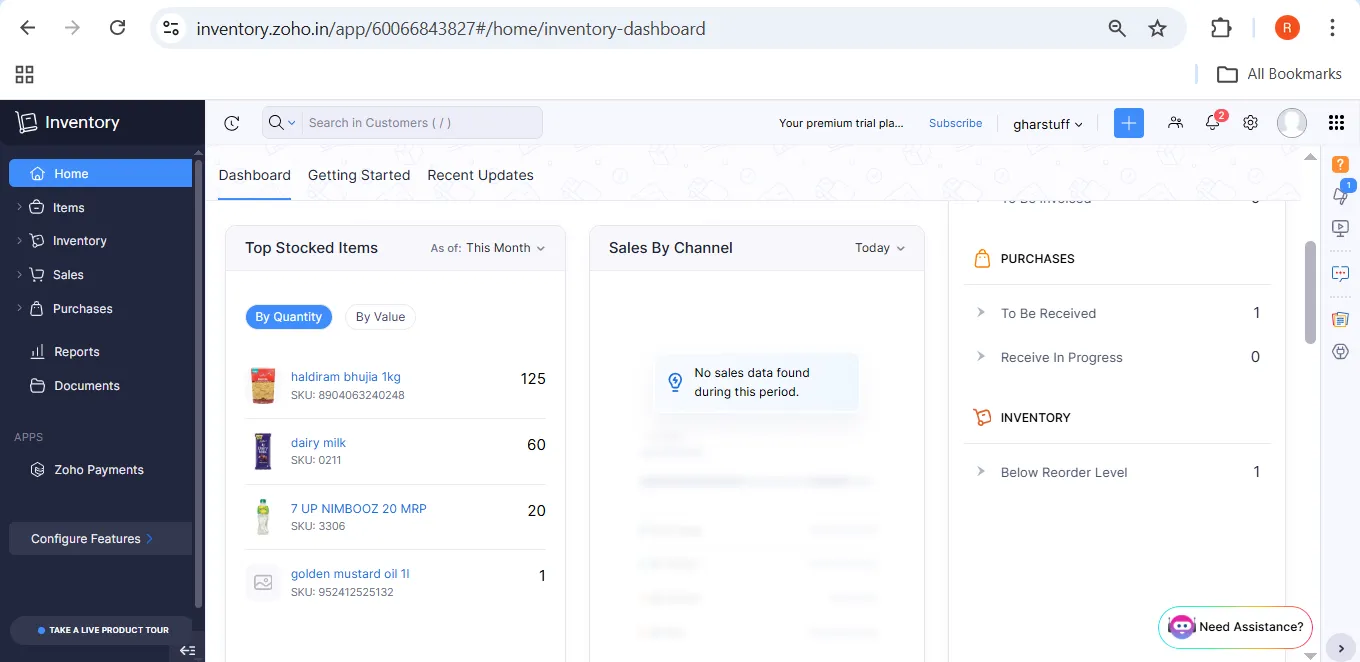
I have to be honest — Zoho is a bit spreadsheet-heavy. It took Vishal 3 days to stop getting confused by the menus.
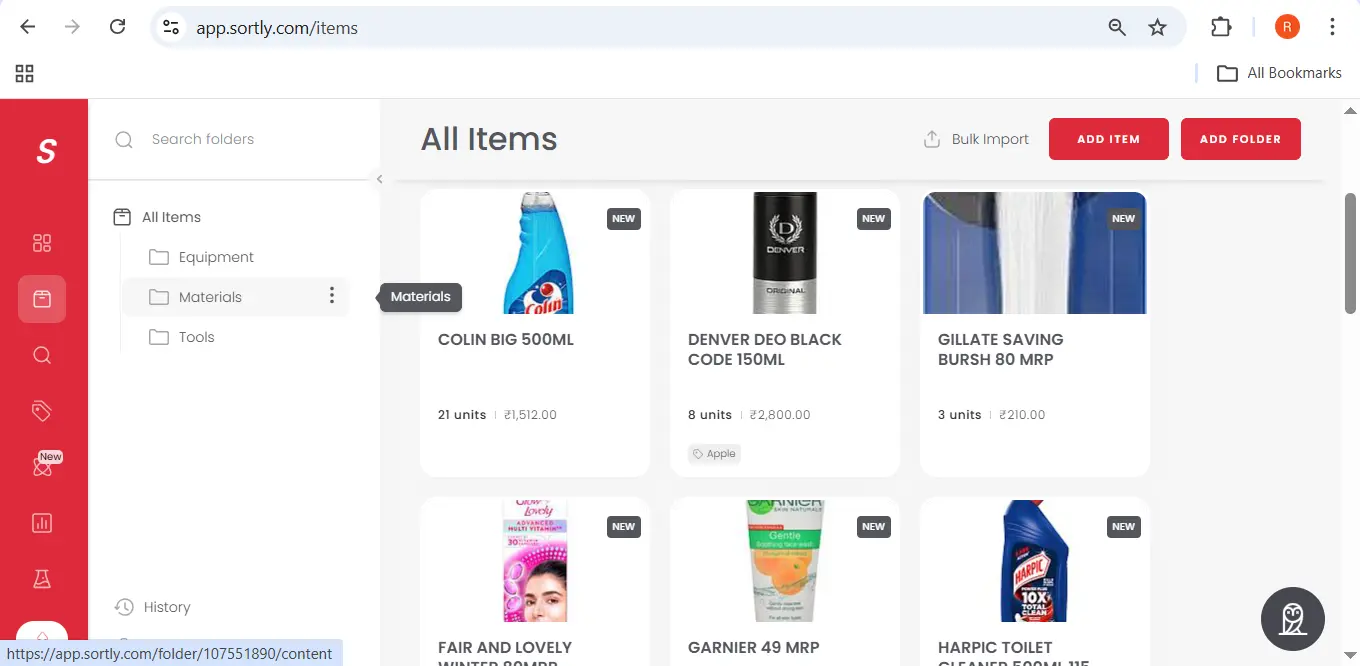
Sortly wins the Staff Test. It uses a beautiful visual grid. Vishal just opens the app, sees a photo of the item, and taps it. He says it feels like using Instagram for inventory. If your team is not tech-savvy, Sortly will save you from 100 “How do I do this?” phone calls.
| Test | Zoho Inventory | Sortly |
|---|---|---|
| Time to first product added | 30–45 minutes | 5 minutes |
| Staff training time | 2–3 days | 10 minutes |
| Staff resistance level | High initially | Near zero |
| Dashboard complexity | High | Low |
The Zoho learning curve is worth it — but only if you sell perishables. If you don’t, the simplicity of Sortly is a genuine advantage that you’ll appreciate every single day.
3. Free Plan Battle: The Real Difference
Both have free plans. But they are not equivalent — not even close.
| Free Plan Feature | Zoho Free | Sortly Free |
|---|---|---|
| Item/SKU limit | No hard limit | 100 items |
| Forever free | ✅ Yes | ✅ Yes (100 items limit) |
| Low stock alerts | ✅ Yes (reorder points) | ❌ No |
| Expiry tracking | ✅ Manual + Python workaround | ❌ No |
| Purchase orders | ✅ 50/month | ❌ No |
| Barcode scanning | ✅ Yes | ✅ Yes |
| Barcode label creation | ✅ Yes | ❌ Paid only |
Sortly’s free plan is genuinely useful if you have under 100 products, sell non-perishables, and don’t need stock alerts or purchase orders. A small boutique or personal use case — it works fine.
For a grocery store, convenience store, or any retail business with more than 100 SKUs and perishable products — Sortly’s free plan runs out of room almost immediately. Zoho’s free plan carries you much further before you need to pay anything.
4. Paid Plan Pricing — What You Actually Pay
Zoho Inventory Pricing — Verified March 2026
| Plan | Price | Orders/Month | Users | Key Addition |
|---|---|---|---|---|
| Free | $0 forever | 50 | 1 | Core inventory features |
| Standard | $39/mo | 500 | 2 | Batch tracking, more reports |
| Professional | $99/mo | 3,000 | 3 | Advanced automation |
| Premium | $159/mo | 7,500 | 5 | Full feature set |
Sortly Pricing — Verified March 2026
| Plan | Monthly Billing | Yearly Billing | Items | Users |
|---|---|---|---|---|
| Free | $0 | $0 | 100 | 1 |
| Advanced | $49/mo | $24/mo ($288/yr) | 500 | 2 |
| Ultra | $149/mo | $74($888/yr) | 2000 | 5 |
| Premium | $299/mo | $149($1788/yr) | 5000 | 8 |
Note: Sortly frequently runs promotions — including 50% first-year discounts. Always check sortly.com/pricing for current rates as pricing has changed multiple times.
Scenario-Based Cost Comparison
| Scenario | Zoho Cost | Sortly Cost | Cheaper |
|---|---|---|---|
| Free plan — basic tracking | $0 (no item limit) | $0 (100 items max) | 🟢 Zoho |
| Need low stock alerts | $0 (free plan) | $24/mo (Advanced) | 🟢 Zoho by $24/mo |
| Need expiry alerts (automated) | $0 (Python workaround) or $39/mo | $24/mo (Advanced) | 🟢 Zoho by $24/mo |
| Need 2 users | $39/mo (Standard) | $24/mo (Advanced) | 🔵 Sortly by $15/mo |
| Need purchase orders | $0 (free plan) | $24/mo (Advanced) | 🟢 Zoho by $24/mo |
⚠️ Important for budgeting: Sortly’s pricing has increased significantly for existing customers — some users reported a 93% price hike. If you start on a paid plan, factor price increases into your long-term budget. Zoho’s pricing has been stable.
If budget is the constraint, I also tested 15 free AI tools for small retail — some of them work well alongside whichever inventory tool you pick.
Zoho Inventory — Full Review for Small Retail
What Works
- Free plan is genuinely useful — not just a teaser
- Reorder point alerts on free plan
- Purchase orders on free plan (50/month)
- Expiry date tracking via custom fields (free)
- Barcode scanning and label creation on free plan
- Strong integrations — Zoho Books, Xero, QuickBooks, Shopify
- Stable pricing history
- API access enables free Python workaround
What Doesn’t Work
- Dashboard is complex — steep initial learning curve
- CSV import requires specific format (easy to get wrong)
- Automated batch tracking requires paid plan ($39/mo)
- Only 1 user on free plan
- Less visually appealing than Sortly
- Setup takes a full Saturday afternoon minimum
Sortly — Full Review for Small Retail
What Works
- Setup is genuinely fast — first product in 5 minutes
- Photo-based inventory is excellent for visual products
- Mobile app is polished and very reliable
- Offline access works properly — syncs when reconnected
- QR code generation is built in and easy
- Folder structure for organizing by location or category
- Perfect for non-perishable retail, tools, and equipment
What Doesn’t Work
- 100-item free plan limit is very restrictive for retail
- No expiry date alerts on free plan
- No low stock alerts on free plan
- No purchase orders on any plan
- Multiple steep price increases reported (up to 93% hike)
- No integrations with Shopify, Amazon, or ecommerce
Quick Decision Matrix — The Fast Answer
| If You Need… | Choose… |
|---|---|
| To reduce food waste and spoilage | Zoho Inventory |
| To track clothing, tools, or equipment | Sortly |
| Expiry alerts on a $0 budget | Zoho + Python workaround |
| To sync with Shopify or Amazon | Zoho Inventory |
| The simplest mobile app possible | Sortly |
| Zero-dollar forever plan | Zoho Inventory |
| Work offline frequently | Sortly |
| Under 100 SKUs, non-perishables only | Sortly free plan is fine |
| More than 100 SKUs on free plan | Zoho Inventory |
| Purchase orders from suppliers | Zoho Inventory |
Final Verdict — Which One Should You Choose?
🟢 Choose Zoho Inventory If You Run a Grocery or Food Store
If you sell anything with an expiry date — milk, bread, produce, dairy, packaged goods — Zoho is the clear winner. The free plan includes reorder alerts and purchase orders. Expiry date tracking is available via custom fields at no cost. And with my free Python workaround, you get automated daily email alerts without paying $39/month.
Yes, setup takes longer. Yes, the dashboard is more complex. But you’re protecting against the exact problem that costs grocery stores the most money — expired products you didn’t catch in time.
I used Zoho to cut my food waste by 35% and save $180/month in my real store. That’s the result that matters.
Getting Zoho running takes about 45 minutes if you follow the right steps. My step-by-step Zoho setup guide covers the exact process, including the free expiry alert workaround.
Try Zoho Inventory Free → Get $100 Credits🔵 Choose Sortly If You Run a Non-Perishable Retail Store
If you sell clothing, hardware, equipment, tools, furniture, or anything that doesn’t expire — Sortly is genuinely excellent. The setup is fast, the visual interface works well for non-technical staff, and the photo-based inventory makes it easy to identify products by sight.
The offline access is a real advantage for stores with unreliable internet. And the Advanced plan at $24/month yearly is reasonable for what you get.
Specific store types where Sortly excels:
- Clothing and apparel stores — photo-based inventory lets staff identify items by sight. No barcode needed for seasonal stock.
- Hardware and tool stores — folder structure organizes by category (plumbing, electrical, tools) exactly the way a hardware store thinks.
- Equipment rental businesses — QR code generation makes check-in and check-out tracking simple for non-tech staff.
- Furniture and home goods — large items with no expiry date are exactly what Sortly’s visual grid was built for.
Just be aware of the price increase history — Sortly has raised prices steeply for existing customers in the past. Factor that into your long-term budget before committing to a paid plan.
What If You Sell Both Perishables and Non-Perishables?
The answer is still Zoho. The perishable products are where your money is being lost. Sortly’s visual system is nice but it doesn’t solve the waste problem. Zoho’s expiry tracking does.
The only exception: if you have fewer than 100 total SKUs, most of which are non-perishable, and you want the simplest possible system with zero learning curve — Sortly’s free plan is a reasonable starting point. You can always switch to Zoho later as your needs grow.
For most small grocery and convenience stores — Zoho Inventory free plan + my Python expiry alert workaround = $0/month with full functionality. That’s hard to beat.
Your Move — Which One to Start This Weekend
The decision is simple:
- Do you sell perishables? → Zoho Inventory
- Do you need purchase orders or reorder alerts for free? → Zoho Inventory
- Do you have under 100 SKUs and sell non-perishables? → Sortly free plan
- Is ease of setup your top priority? → Sortly
- Do you work offline frequently? → Sortly
If you decide on Zoho, start with my step-by-step guide: How to Set Up Zoho Inventory for Small Retail — including the free Python files for automated expiry alerts at no cost.
If you want to see how both tools compare against 5 other options, read my full 60-day test: 7 Best AI Inventory Tools for Small Retail (2026).
FAQs — Zoho vs Sortly Small Retail
Which is easier to set up — Zoho or Sortly?
Sortly is significantly easier to set up. You can add your first product in under 5 minutes with no technical knowledge. Zoho requires downloading a CSV template, formatting your product list correctly, and configuring settings — plan for one Saturday afternoon. If ease of setup is your top priority and you don’t sell perishables, Sortly wins this comparison clearly.
Does Sortly have expiry date tracking on the free plan?
No. Sortly’s expiry date tracking and alerts are only available on paid plans. The free plan does not include this feature. Zoho allows manual expiry date tracking via custom fields on the free plan, and I’ve built a free Python workaround for automated daily email alerts — full guide at smallretailai.com/zoho-inventory-setup-guide-small-retail/
Is Sortly really $24 per month or is that a limited offer?
Sortly’s $24/month price is the yearly billing rate for the Advanced plan. Monthly billing is $49/month. Sortly also frequently runs promotions including a 50% first-year discount. Always check sortly.com/pricing for current rates as Sortly has changed pricing multiple times.
Which is better for a US or UK convenience store?
For a US or UK convenience store that sells food and drinks with expiry dates — Zoho. The reorder point alerts and expiry tracking on the free plan are worth the steeper learning curve. At US minimum wage ($18/hour), the 8 hours per week you save on manual counting is $144/week — $7,488 a year. That math doesn’t change based on which country you’re in.
Does Zoho work offline?
Zoho’s offline capabilities are limited. The mobile app may cache some data briefly, but real-time stock updates, alerts, and syncing all require internet. Sortly has more reliable offline access — scans and updates sync when you reconnect. If your store has unreliable internet, this is a genuine advantage for Sortly.
Can I use both tools together?
Technically yes, but practically there’s no reason to. They solve the same problem — inventory tracking. Pick one and build your workflow around it. Splitting your inventory across two systems creates confusion and doubles your data entry work.
Which tool is better for a team of 2–3 people?
Both tools support 2 users on their first paid tier. On the free plan, both allow only 1 user. For a team of 2–3, Zoho’s Standard plan ($39/mo, 2 users) and Sortly’s Advanced plan ($24/mo yearly, 2 users) are the relevant comparison. Sortly is cheaper for this specific scenario. Zoho is still better if you sell perishables.
What’s the biggest reason people switch from Sortly to Zoho?
Two main reasons come up repeatedly. First, they outgrow Sortly’s item limit on the free plan and don’t want to pay for basic features Zoho gives free. Second, they start selling products with expiry dates — either adding fresh food, or realizing they needed date tracking all along — and Sortly’s free plan doesn’t support it.

About the Author
Rahul Saini
Grocery store owner in Hisar, India, running gharstuff.com since 2019 with 800–1,200 SKUs daily. I test AI tools in my real store — with real staff, real customers, and real consequences when something doesn’t work. Every number on this site is from my actual store.
Read My Full Story →Last updated: March 2026. Pricing verified. Author: Rahul Saini, grocery store owner and founder of SmallRetailAI.com. Running a specific type of store and not sure which one fits? Ask in the comments — I read every one.